
Last updated: September 5, 2026
The cheapest cloud GPU providers in 2026 are GPU-native platforms such as RunPod, Vast.ai, Lambda Labs, TensorDock, and JarvisLabs — all of which undercut hyperscalers (AWS, GCP, Azure) by 3–10× on on-demand rates for equivalent hardware. The catch: the lowest advertised hourly rate is rarely the lowest total cost. Hidden egress fees, per-hour billing rounding, storage charges, and reliability gaps can easily flip a seemingly cheap option into an expensive one. This guide gives you the full picture so you can make the right call fast.
Why GPU-Native Clouds Beat Hyperscalers on Price
Hyperscalers bundle GPU access inside large VM SKUs that include CPU, RAM, networking, and managed services overhead — and then charge for all of it. GPU-native clouds strip that away and sell raw compute. Hyperscalers charge 2–3× more than GPU-native clouds for the same hardware on on-demand rates, and the gap widens when you factor in egress. Hyperscalers charge $0.08–$0.12/GB for data transfer out, while many GPU-native providers include egress at no extra cost or charge a fraction of that rate.
There is also a structural reason: GPU-native providers often source capacity from under-utilized data centers, co-location facilities, and even peer-to-peer GPU marketplaces where individual owners list spare hardware. In 2026, cost-focused platforms prioritize spot pricing, marketplaces, and optimized infrastructure to undercut hyperscalers. The result is a two-tier market: high-cost, high-integration hyperscalers and low-cost, lean GPU specialists.
The Cheapest Cloud GPU Providers Compared (2026)
The table below covers the most widely used affordable GPU cloud platforms. Prices are on-demand rates for a single GPU unless noted. Always verify on the provider’s pricing page before committing — GPU cloud pricing shifts frequently as supply and demand change.
| Provider | GPU Examples | Indicative On-Demand Rate | Billing Granularity | Best For |
|---|---|---|---|---|
| Vast.ai | RTX 4090, A100 80GB, H100 | RTX 4090 from ~$0.30–0.55/hr; H100 from ~$1.80/hr | Per minute | Lowest absolute price, bursty training, experimentation |
| RunPod | RTX 4090, A100, H100, L4 | RTX 4090 from ~$0.39/hr; A100 80GB ~$1.19/hr | Per minute | Broad GPU selection, community cloud & secure cloud options |
| Lambda Labs | H100, A100, A10 | A100 80GB ~$1.25/hr; H100 SXM ~$2.49/hr | Per minute / reserved | Reserved clusters for research & enterprise, stable on-demand |
| TensorDock | RTX 4090, A100, H100, L40S | RTX 4090 from ~$0.30/hr; H100 from ~$2.00/hr | Per minute | Budget training, multi-GPU small clusters |
| JarvisLabs | A100, H100, RTX 6000 Ada | A100 80GB ~$1.29/hr | Per minute | ML developers wanting persistent workspaces, simple billing |
| Thunder Compute | RTX A6000, A100, H100 PCIe | RTX A6000 ~$0.35/hr; A100 80GB ~$1.09/hr; H100 PCIe ~$3.20/hr | Per minute | Stable on-demand with managed availability |
| AWS / GCP / Azure | A100, H100, L4 | A100 80GB ~$3.50–5.00/hr (on-demand) | Per second / per minute | Deep ecosystem integration, compliance, global SLA |
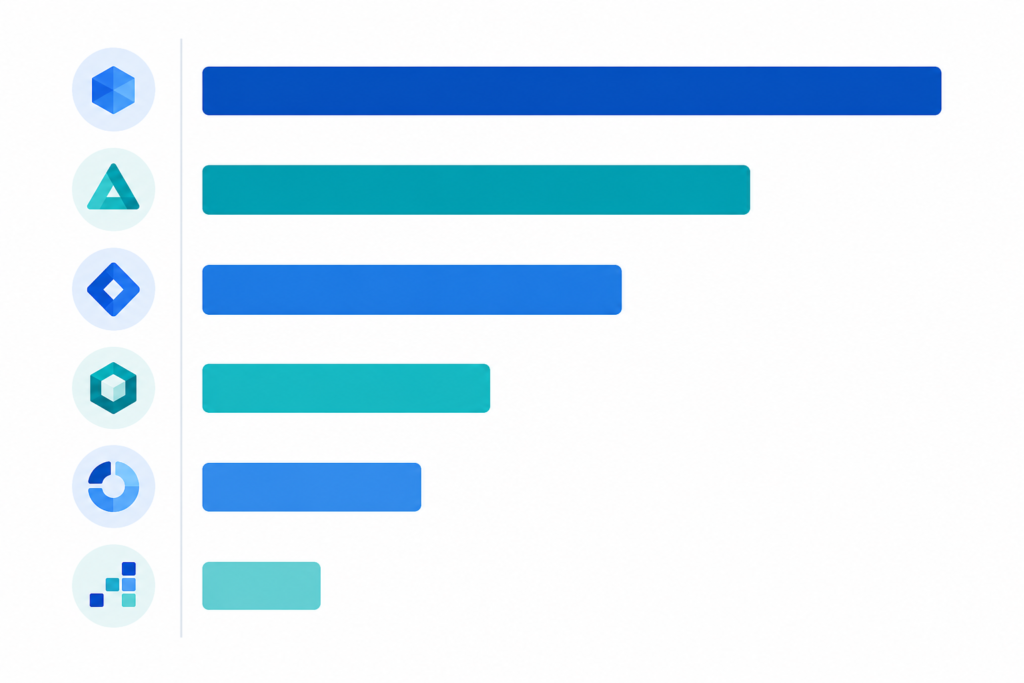
Source: Provider pricing pages, GPU tracking tools (verify before use — rates change frequently).
Cloud GPU pricing varies dramatically — the same NVIDIA H100 can cost anywhere from $1.50/hr to $4.50/hr depending on provider, region, and commitment type. That spread makes provider selection one of the highest-leverage cost decisions an AI team can make.
Spot vs. On-Demand: The Biggest Lever for Cutting GPU Costs
Spot (or preemptible) instances are the single most impactful way to reduce cloud GPU spend, but they come with a meaningful trade-off. Spot pricing cuts GPU costs by 60–90%, but instances can be reclaimed with as little as 30 seconds of notice. That makes them ideal for fault-tolerant, checkpoint-friendly workloads — and a poor fit for long-running inference APIs or anything that can’t resume mid-run.
Here is how to think about which pricing model to use:
- Spot instances: Batch training jobs, offline data processing, hyperparameter sweeps, anything with checkpointing. Use spot instances for batch work — they run 50–80% below on-demand on most providers.
- On-demand instances: Active model development, short experiments, prototyping sessions where interruption is unacceptable.
- Reserved / committed-use: Production inference endpoints and steady-state training clusters where you need guaranteed capacity. Use reserved pricing — 30–60% off with 1-year or 3-year commitments.
Most successful AI teams end up using multiple platforms — spot instances for training, dedicated capacity for critical inference APIs, and development instances for experimentation. This multi-tier approach consistently delivers the lowest blended cost.
Billing Granularity: Why Per-Minute Beats Per-Hour
Billing granularity is an under-appreciated cost driver. Many older or hyperscaler-style providers bill in full-hour increments. If your training job takes 70 minutes and you are billed per hour, you pay for 2 hours — a 43% waste. Per-minute billing saves approximately 40% versus hourly billing for short or bursty jobs. Most GPU-native providers (RunPod, Vast.ai, TensorDock, JarvisLabs) bill per minute as the default, which is why they feel cheaper even when the raw hourly rate looks similar.
A small number of providers advertise per-second billing. Per-second billing exists but makes a negligible difference in practice compared to per-minute — the meaningful jump is from hourly to per-minute.
Hidden Costs That Make “Cheap” Expensive
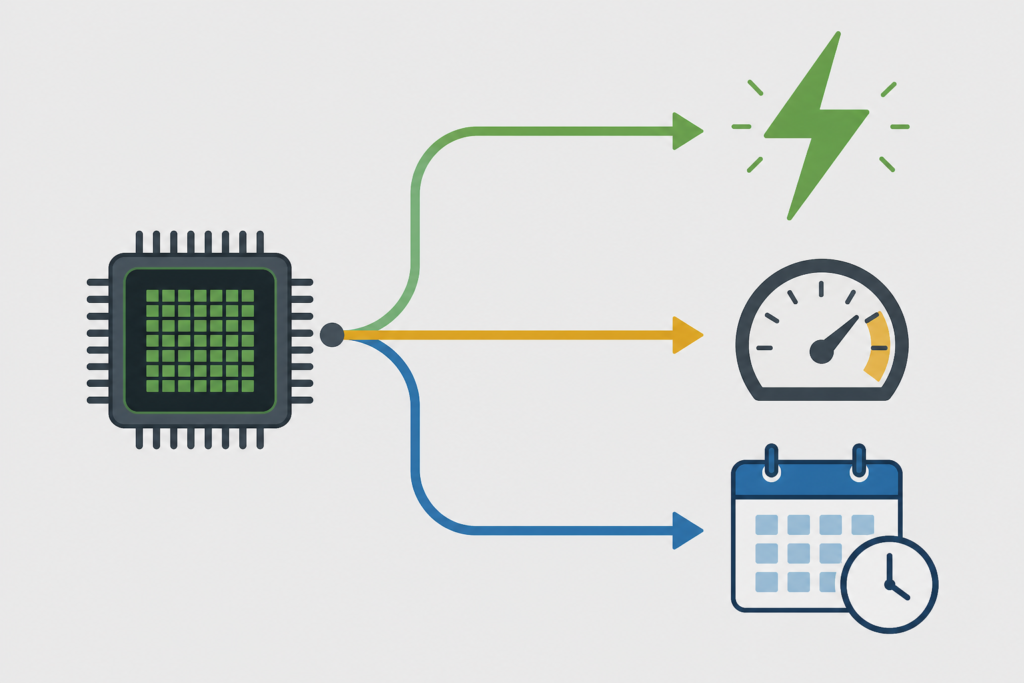
The cheapest GPU cloud is rarely the one with the lowest advertised rate. Hidden fees, billing rounding, and reliability gaps routinely flip a seemingly cheap option into an expensive one. Before you sign up, audit every one of these line items:
- Egress / data transfer fees. Moving trained model weights, datasets, or inference outputs out of the cloud can cost more than the compute itself at hyperscaler rates. GPU-native providers are generally much better here, but always confirm.
- Storage costs. Persistent storage for datasets and model checkpoints adds up quickly on large jobs. Check whether NVMe or SSD storage is included or billed separately. Some platforms advertise rock-bottom GPU rates but charge separately for required CPU, RAM, and NVMe storage.
- Idle instance charges. If your container is running but the GPU is idle (e.g., waiting for a data loader), you are still paying GPU rates. Optimize your data pipelines to keep GPU utilization high.
- Quota delays and availability. Major cloud providers often require quota requests that can take days to approve, while some platforms impose spending limits for new users. Factor in the operational cost of waiting.
- Networking between nodes. Multi-GPU distributed training requires high-bandwidth interconnects (NVLink, InfiniBand). Consumer-grade marketplace GPUs may lack this, forcing you to use slower PCIe networking and extending job time — increasing total cost even if the hourly rate is lower.
Choosing the Right GPU for Your Workload (Right-Sizing)
Overspending on GPU tier is one of the most common mistakes. An A100 80GB is overkill for a 7B model. Match VRAM to your workload. Here is a practical mapping:
| Workload | Minimum VRAM | Recommended GPU | Typical Cost Range |
|---|---|---|---|
| Image generation (SDXL, Flux) | 8–16 GB | RTX 4090, L4 | $0.30–0.55/hr |
| LLM inference (7B–13B models) | 16–24 GB | RTX 4090, A10, L4 | $0.35–0.75/hr |
| LoRA fine-tuning (7B–13B) | 24 GB | RTX 4090, RTX A6000, A10 | $0.35–1.00/hr |
| LLM inference (30B–70B) | 48–80 GB | A100 80GB, RTX A6000 (48GB) | $1.09–1.50/hr |
| Full fine-tuning / pre-training (70B+) | 80 GB+ per GPU, multi-GPU | H100 SXM, A100 cluster | $1.80–2.49/hr per GPU |
| Video generation, 3D rendering | 24–48 GB | A100 40GB, RTX A6000 | $0.85–1.50/hr |
Rates are indicative on-demand ranges across GPU-native providers as of September 2026. Verify on provider pricing pages before purchasing.
Consumer-grade GPUs are the cheapest cloud compute when your model fits in 24–32 GB of VRAM. The RTX 4090, RTX 5090, NVIDIA L4, and RTX A5000 handle single-GPU inference, image generation, LoRA fine-tuning, and local LLM experiments at a fraction of data-center GPU rates.
Provider Deep-Dives: What Each One Is Actually Good For
Vast.ai — Lowest Absolute Price, Highest Variance
Vast.ai is a peer-to-peer GPU marketplace where individual owners list spare hardware. This model produces the lowest advertised rates in the market, but reliability and interconnect quality vary by host. It is the right choice for fault-tolerant training jobs, ML experimentation, and teams that are comfortable writing robust checkpointing logic. Not ideal for latency-sensitive inference in production.
RunPod — Best All-Around Balance of Price and Usability
RunPod offers the broadest GPU selection of any single platform, covering everything from RTX 4090s to H100 clusters. It operates both a Community Cloud (peer-hosted, cheaper, more variable) and a Secure Cloud (vetted data centers, higher reliability). The split gives teams the flexibility to route cost-sensitive jobs to community instances and production workloads to secure instances — all within one platform.
Lambda Labs — Best for Reserved Clusters and Research Teams
Lambda targets enterprise and research teams needing reserved clusters. On-demand rates are competitive with the best GPU-native providers, and Lambda’s reserved cluster pricing makes it one of the most cost-effective options for teams that can commit to consistent GPU usage over months. The platform is clean, the networking is data-center grade, and customer support is notably stronger than marketplace-style providers.
TensorDock — Best for Budget Multi-GPU Training
TensorDock aggregates capacity from multiple data centers and offers some of the lowest per-GPU rates for A100 and H100 nodes. It supports multi-GPU instances at competitive rates, making it a good fit for distributed training jobs that need more than one GPU but don’t require H100 NVLink performance. The marketplace interface is less polished than RunPod but the pricing is hard to beat for raw compute.
JarvisLabs — Best for Individual ML Developers
For most AI/ML developers, specialized GPU clouds offer better pricing and simpler workflows than hyperscalers. JarvisLabs is the best fit for developers who want predictable per-minute billing, persistent workspaces, and no complexity. Persistent workspaces mean you don’t lose your environment when you pause an instance — a practical quality-of-life feature that reduces the hidden overhead of environment management.
Hyperscalers (AWS, GCP, Azure) — When the Premium Is Worth It
AWS, GCP, Azure, and Oracle are the most expensive GPU cloud providers on an on-demand basis, but the most feature-complete. Hyperscalers make sense when you need tight integration with existing cloud infrastructure. If your data already lives in S3, your orchestration runs on EKS, and your compliance team requires a specific certification (SOC 2, HIPAA, FedRAMP), the operational simplicity of staying in one cloud can outweigh the 3–5× cost premium on GPU compute.
5 Practical Steps to Minimize Your Cloud GPU Bill
- Benchmark your actual utilization before committing. Run a 24-hour spot job and measure GPU utilization with
nvidia-smior a monitoring tool. If utilization is below 70%, your data pipeline — not the GPU — is your bottleneck. Fix that first. - Use spot for all training, on-demand only for inference SLAs. Route every fault-tolerant job to spot instances. Implement checkpointing every 15–30 minutes so an interruption costs you at most one checkpoint worth of compute.
- Right-size the GPU tier. Run small-scale tests on a consumer GPU (RTX 4090 at ~$0.40/hr) before scaling to an H100 ($2.50/hr+). The 6× cost difference is only justified when you actually need the VRAM or NVLink bandwidth.
- Negotiate reserved capacity for steady-state workloads. If your team uses more than 4–8 GPUs continuously, contact providers directly for reserved or committed-use pricing. 30–60% off with 1-year or 3-year commitments is common and often not advertised on public pricing pages.
- Audit your total cost monthly, not just hourly rates. Egress, storage, and idle instance charges compound. Set up billing alerts and review cost breakdowns weekly during ramp-up, monthly during steady state.
Self-Hosted vs. Cloud GPU: When Does Buying Make Sense?
If your team runs GPUs continuously, the break-even point for owning versus renting shifts. Self-hosted GPUs are 5–50× cheaper per token than API providers. A single H100 running Llama 3 70B costs approximately $0.05/1M tokens, versus $2.50/1M for GPT-4o. For high-volume inference at scale, owning hardware can pay for itself within 12–18 months compared to on-demand cloud rates. The trade-offs are capital expenditure, data center costs, maintenance overhead, and the inflexibility of fixed hardware through a model generation cycle. For most teams below 20–30 GPUs of steady load, cloud rental remains more cost-efficient when total operational cost is factored in. Learn more about the trade-offs in our guide to cloud GPU vs. on-premise cost analysis.
How to Evaluate a Cheapest Cloud GPU Provider: A Checklist
Before signing up, run through this checklist for any provider you are evaluating:
- ☑ Does the advertised rate include CPU, RAM, and storage, or are those billed separately?
- ☑ What is the egress fee per GB? Is there a free egress tier?
- ☑ What is the billing granularity — per second, per minute, or per hour?
- ☑ What is GPU availability like for your target GPU model? Check forums and status pages.
- ☑ Are there spending limits or quota approval delays for new accounts?
- ☑ What interconnect is available for multi-GPU jobs — NVLink, InfiniBand, or PCIe only?
- ☑ Is there a free tier or trial credit to test the platform before committing?
- ☑ What are the SLA terms, and is there a reliability track record from the community?
The optimal approach is to find a platform that combines competitive pricing with reliability, transparent billing, and the flexibility to scale with your needs.
For a broader look at all major providers beyond just price, see our cloud GPU providers comparison guide. If you are specifically optimizing for H100 workloads, see our cheapest H100 cloud GPU breakdown. And if you are just getting started with renting GPU compute, our how to rent a cloud GPU guide walks through the full setup process step by step.
About the Author
Nhon Dang is a cloud infrastructure and operations professional with over 10 years of hands-on experience in cloud services, infrastructure, and business operations. His expertise spans the design, deployment, and operation of cloud platforms and managed services — including VMs, Kubernetes, object storage (S3), managed databases, Apache Kafka, and cloud GPU infrastructure. Nhon writes about cloud infrastructure, DevOps, distributed systems, and cloud service management based on direct production experience, not theoretical knowledge. He publishes at cloudgpuhub.com.
Frequently Asked Questions
What is the cheapest cloud GPU available right now?
As of September 2026, consumer-grade GPUs on marketplace platforms like Vast.ai and TensorDock offer the lowest absolute rates — RTX 4090 instances regularly appear at $0.30–$0.55/hr, and RTX A6000 instances at around $0.35/hr on some providers. These rates apply to on-demand or short spot sessions. For data-center-grade GPUs, A100 80GB instances start around $1.09–$1.25/hr on providers like Thunder Compute and Lambda Labs. Prices shift frequently, so always check provider pricing pages or a GPU price tracker before committing.
Are cheap GPU clouds reliable enough for production workloads?
It depends on the provider tier. Marketplace-style clouds (Vast.ai, RunPod Community Cloud) use peer-hosted hardware, so reliability varies by host. They are fine for training and experimentation with checkpointing, but less suitable for latency-sensitive production inference. Dedicated GPU-native providers (Lambda Labs, RunPod Secure Cloud, JarvisLabs) offer data-center-grade reliability that is suitable for production, still at 3–5× lower cost than hyperscalers. The cheapest option is not always the most reliable — evaluate both dimensions before deciding.
How much cheaper are GPU-native clouds vs. AWS or GCP?
GPU-native clouds are typically 3–10× cheaper on on-demand rates for equivalent hardware compared to hyperscalers. For example, an A100 80GB on AWS or GCP can cost $3.50–$5.00/hr on-demand, while the same GPU on Lambda Labs or RunPod is available from $1.09–$1.25/hr. The gap widens when you factor in egress fees: hyperscalers charge $0.08–$0.12/GB for data transfer out, while most GPU-native providers charge little to nothing.
What is spot pricing for cloud GPUs and when should I use it?
Spot (or preemptible) GPU instances are unused capacity offered at a large discount — typically 50–80% below on-demand rates — in exchange for the risk of instance interruption with little warning (sometimes as little as 30 seconds). Use spot instances for batch training jobs, hyperparameter sweeps, and offline data processing where you can implement checkpointing. Avoid spot for live inference APIs, real-time applications, or any workload that cannot resume mid-run without significant cost.
Does billing granularity (per minute vs. per hour) really matter?
Yes, significantly — especially for short or bursty jobs. If a provider bills per hour and your job takes 70 minutes, you pay for 2 full hours, wasting 43% of that second hour. Per-minute billing (the default on RunPod, Vast.ai, TensorDock, JarvisLabs, and others) eliminates that waste and saves approximately 40% on short jobs compared to hourly billing. Per-second billing exists but provides only marginal additional savings over per-minute.
Which cloud GPU provider is best for LLM fine-tuning on a budget?
For LoRA fine-tuning on 7B–13B models, RTX 4090 or RTX A6000 instances on Vast.ai, RunPod, or TensorDock offer the best price-to-VRAM ratio at $0.35–$0.55/hr. For full fine-tuning on 30B–70B models requiring 80GB VRAM, A100 80GB instances on Lambda Labs or Thunder Compute ($1.09–$1.25/hr) are the most cost-effective data-center-grade options. Always use spot pricing if your training script supports checkpointing to cut costs by an additional 50–80%.
When does it make sense to buy GPUs instead of renting from the cloud?
Purchasing GPUs makes financial sense when your team runs GPUs near-continuously (70%+ utilization) for extended periods. At on-demand cloud rates, a single H100 can cost $18,000–$22,000/year in cloud rental — often close to or exceeding the hardware purchase price within 12–18 months. The trade-off is capital expenditure, colocation or power costs, maintenance overhead, and hardware lock-in for 3–4 years. For teams with fewer than 20–30 GPUs of steady load, cloud rental typically remains more cost-efficient when total operational cost is factored in.
What hidden fees should I watch for when comparing cheap cloud GPU providers?
The most common hidden costs are: (1) egress/data transfer fees — hyperscalers charge $0.08–$0.12/GB out; (2) storage fees for persistent volumes holding datasets and model checkpoints; (3) CPU/RAM charges billed separately from the GPU rate; (4) per-hour billing rounding that inflates cost for short jobs; and (5) quota approval delays that create operational overhead and potential downtime. Always calculate total cost — compute + storage + egress — not just the GPU hourly rate.