
Last updated: September 3, 2026
Bottom line up front: RunPod is a distributed cloud GPU marketplace that lets you rent GPUs — from RTX 4090s to H100s — at prices often 50–70% below hyperscaler list rates. It is genuinely useful for AI/ML training, inference, and rendering workloads. But it is not a managed platform: you bring your own containers, accept variable host reliability, and handle most ops yourself. If that trade-off works for your team, RunPod is hard to beat on cost.
This post may contain affiliate/partner links. If you buy or sign up through them, we may earn a commission at no extra cost to you.
What Is RunPod?
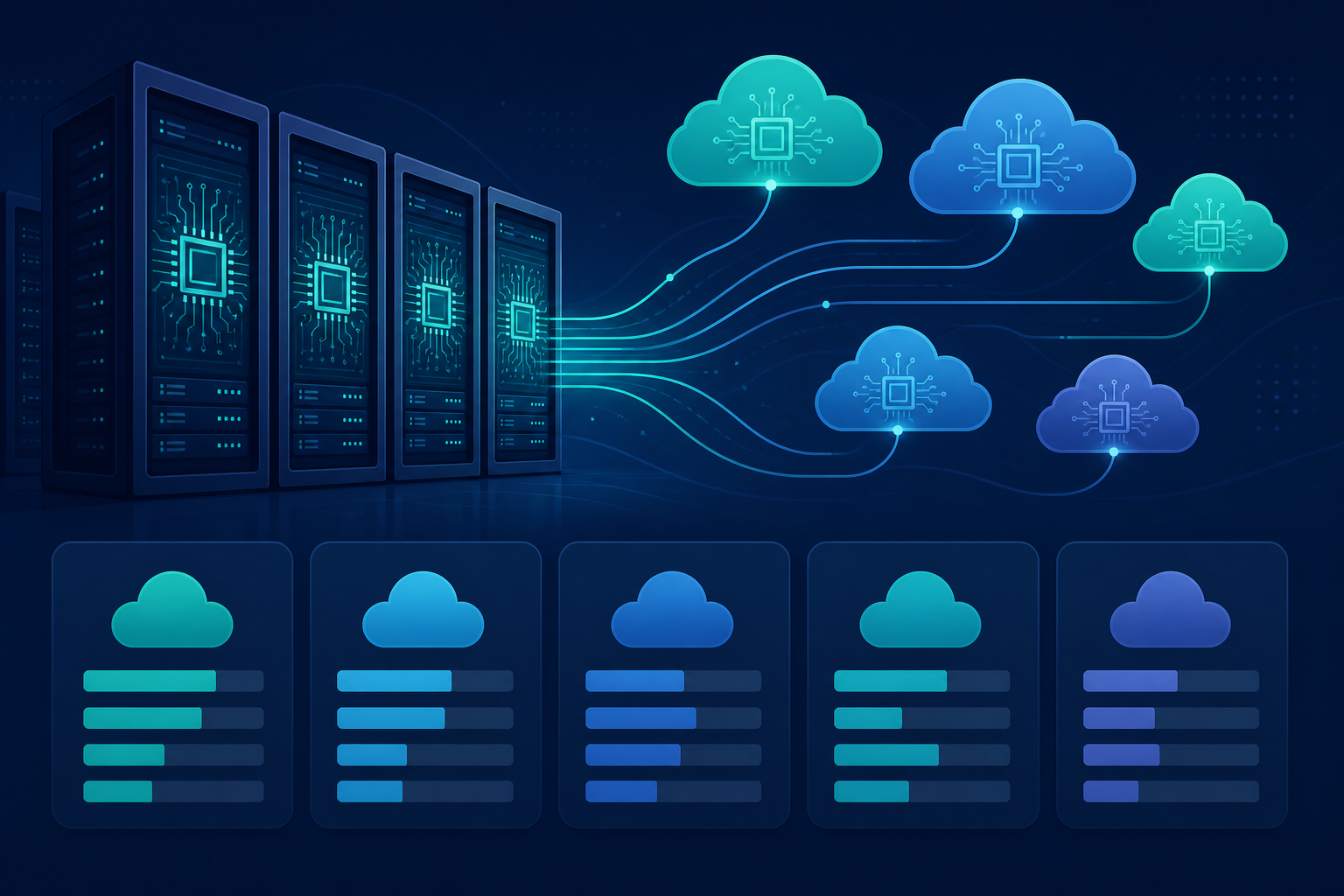
RunPod is a GPU cloud marketplace — a platform where independent data-center operators and individuals list spare GPU capacity, and customers rent it on-demand or as spot (interruptible) instances through a unified interface. Founded in 2022 and headquartered in the United States, RunPod has grown rapidly alongside demand for affordable GPU compute for AI model training and inference. Unlike AWS, GCP, or Azure, RunPod does not own all of the underlying hardware; it aggregates supply from vetted third-party hosts worldwide while providing a standardized API, container runtime, and billing layer on top.
This review is based on documentation, published pricing, community reports, and direct product evaluation. Where claims are documentation-based rather than hands-on tested at scale, that is noted explicitly.
Who Is RunPod Best For?
- AI/ML researchers and solo practitioners who need H100 or A100 access without signing an enterprise contract.
- Startups and small teams running inference endpoints that can tolerate occasional pod interruptions.
- Hobbyists and indie developers doing image generation, fine-tuning, or video rendering on a budget.
- DevOps engineers prototyping distributed training pipelines before committing to reserved capacity on a hyperscaler.
RunPod is not ideal for regulated workloads (HIPAA, PCI-DSS), teams that need SLA-backed uptime, or production services where a host going offline is unacceptable.
RunPod Pricing: How Much Does It Actually Cost?
RunPod’s core value proposition is price. The marketplace model means GPU prices fluctuate based on supply and demand, but the following figures are representative of published spot and on-demand rates observed in mid-2026. Always verify current pricing on the RunPod pricing page before committing budget.
| GPU | Type | VRAM | Approx. On-Demand ($/hr) | Approx. Spot ($/hr) |
|---|---|---|---|---|
| RTX 4090 | Consumer | 24 GB | ~$0.44 | ~$0.25 |
| RTX 3090 | Consumer | 24 GB | ~$0.22 | ~$0.12 |
| A40 | Professional | 48 GB | ~$0.39 | ~$0.24 |
| A100 SXM (80 GB) | Data Center | 80 GB | ~$1.99 | ~$1.49 |
| H100 SXM (80 GB) | Data Center | 80 GB | ~$3.49 | ~$2.49 |
Source: RunPod public pricing page (representative mid-2026 observed rates). Verify before publishing — GPU spot prices change frequently.
Compare those H100 SXM numbers to AWS p5.xlarge on-demand (~$6.50/hr for a single H100 equivalent, based on p5.48xlarge list price divided by 8 GPUs) or Google Cloud A3 instances, and the gap is stark. For burst or experimental workloads, RunPod can deliver 40–60% cost savings even on its on-demand tier.
Storage Costs
Pod storage is ephemeral by default — it disappears when the pod terminates. RunPod offers persistent network volumes billed separately, typically around $0.07–$0.10 per GB per month (verify on current pricing). For large model weights (70B+ parameter models can exceed 140 GB), storage costs add up quickly. Teams running inference workloads should factor in volume costs when comparing total cost of ownership against competitors like Lambda Labs cloud GPU pricing or CoreWeave pricing and review.
Serverless GPU Pricing
RunPod’s Serverless product bills per GPU-second of actual compute, with a queue-based model that scales to zero when idle. This is attractive for inference APIs with variable traffic. The billing granularity is fine enough that lightly used endpoints can cost a few cents per day rather than the equivalent of running a dedicated pod 24/7.
Pod Types: Secure Cloud vs. Community Cloud
This is one of the most important architectural decisions on RunPod and is frequently misunderstood.
| Feature | Secure Cloud | Community Cloud |
|---|---|---|
| Host type | Verified data centers only | Any approved host (incl. individuals) |
| Reliability | Higher — standardized infra | Variable — host-dependent |
| Price | Slightly higher | Lowest available |
| Network speed | More consistent | Variable |
| Best for | Production inference, longer jobs | Spot training, experimentation |
For production workloads, Secure Cloud is the safer choice. Community Cloud is excellent for short training runs or anything that can resume from a checkpoint — the cost difference is meaningful enough to justify the added operational handling.
How Does RunPod’s Performance Hold Up?
GPU Compute Throughput
Raw GPU performance on RunPod is hardware-limited, meaning an H100 SXM on RunPod delivers the same FLOPS as an H100 SXM anywhere else. The question is the surrounding infrastructure: PCIe bandwidth, CPU host specs, RAM, and inter-node networking for multi-GPU jobs. Community Cloud hosts vary here — some run enterprise-grade Supermicro systems; others are gaming rigs with a single RTX card. Secure Cloud hosts generally deliver more consistent host specs.
For single-GPU training and inference, most users report performance comparable to AWS or GCP for the same GPU model. Multi-GPU distributed training is where RunPod’s network fabric becomes a bottleneck: NVLink is not guaranteed outside certain Secure Cloud pods, and inter-node bandwidth on community hosts can be far below what you’d get on a hyperscaler’s dedicated HPC network. Teams running large-scale multi-node training (8+ GPUs across nodes) should validate their specific workload before committing.
Storage I/O
Network volume I/O is a known limitation. Loading large model checkpoints from a network volume can be slow enough to noticeably extend job startup time. A common pattern in the RunPod community is to bake model weights into a custom Docker image or copy them to local pod storage at startup, trading container size for faster iteration. This is a legitimate workaround but adds complexity to your workflow.
Cold Start Latency (Serverless)
Serverless pods have cold start latency ranging from a few seconds to over a minute, depending on image size and GPU availability. For latency-sensitive APIs, this makes RunPod Serverless a poor fit unless you implement a warm-pool strategy or use a minimum worker count, which increases idle cost. This is a documented trade-off, not a bug — but it matters for production SLAs.
Developer Experience: Ease of Use and Tooling
Getting Started
- Create an account and add billing (credit card or crypto — RunPod accepts both).
- Navigate to Pods → Deploy and select GPU type, cloud type (Secure or Community), and container image.
- Configure environment variables, exposed ports, and volume mounts.
- Click Deploy — your pod is usually running within 1–3 minutes for on-demand Secure Cloud.
- SSH in, connect via the built-in web terminal, or hit your exposed HTTP port directly.
The UI is clean and approachable for engineers with Docker experience. If you’ve never worked with containers, there’s a meaningful learning curve — RunPod assumes you know how to build and push Docker images.
Templates and Pre-Built Images
RunPod maintains an official template library covering PyTorch, TensorFlow, Stable Diffusion, Ollama, vLLM, and several others. Community templates extend this further. These dramatically reduce setup time for common workloads — you can be running a Stable Diffusion WebUI or a vLLM inference server within five minutes of signing up.
RunPod API and Programmatic Access
RunPod exposes a GraphQL API for pod lifecycle management, which is useful for automating spin-up/tear-down in CI pipelines or training orchestration scripts. There is also a Python SDK. The API is functional but less mature than what you’d get from AWS Boto3 or GCP’s client libraries — expect some rough edges and occasional underdocumented behaviors. This is documentation-based assessment; teams should validate specific API workflows against their use case.
Networking and Port Exposure
Each pod gets a public IP with configurable port forwarding. RunPod generates a proxy URL for HTTP ports, which makes serving models or Jupyter notebooks straightforward without configuring your own domain or TLS. For production APIs, you’ll want to add authentication in front of the exposed port — RunPod does not manage access control at the application layer.
Reliability and Uptime: The Honest Picture
This is the section where RunPod’s marketplace model creates real operational risk. Community Cloud pods can be interrupted if the host goes offline — think of it like AWS Spot but with less predictable interruption patterns and no 2-minute shutdown warning. Users in forums and Discord regularly report pod terminations on Community Cloud, particularly during periods of high global GPU demand.
Secure Cloud is noticeably more stable. RunPod publishes a status page, and major incidents are generally acknowledged and resolved within hours, though SLA terms are not equivalent to enterprise cloud providers. There is no financially backed uptime SLA in the traditional sense — a critical differentiator from hyperscalers or managed GPU clouds like CoreWeave.
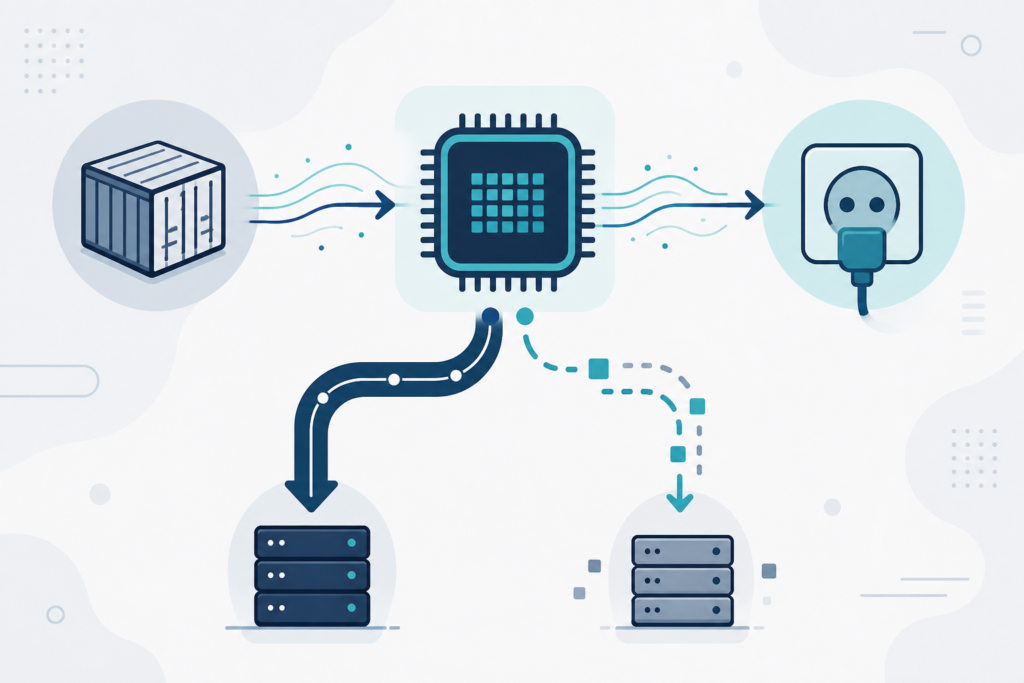
For teams building fault-tolerant training pipelines (checkpoint-every-N-steps, auto-restart on failure), Community Cloud instability is manageable and the cost savings justify the engineering effort. For teams serving production inference where every minute of downtime costs revenue, Secure Cloud alone is not sufficient — you need redundancy outside RunPod, such as a fallback inference endpoint on a different provider.
Security Considerations
RunPod isolates containers using standard Linux namespaces and does not guarantee bare-metal isolation on Community Cloud — meaning your workload may share a physical host with another tenant’s container. RunPod states that host operators cannot access pod contents, but the security model is not equivalent to dedicated bare-metal or hypervisor-level isolation.
For sensitive data — personal health information, financial records, proprietary model weights under NDA — Community Cloud is not appropriate. Secure Cloud is better but still lacks the compliance certifications (SOC 2 Type II, HIPAA BAA, PCI-DSS) that regulated industries require. If compliance is a hard requirement, evaluate providers like AWS GPU instances for enterprise workloads or dedicated GPU cloud options instead.
RunPod vs. Competitors: How Does It Stack Up?
| Provider | Price (H100/hr, approx.) | Managed? | SLA | Best For |
|---|---|---|---|---|
| RunPod | ~$2.49–$3.49 | No | None formal | Cost-sensitive ML, research |
| Lambda Labs | ~$2.49–$3.99 | Partial | Best-effort | Research teams, on-demand burst |
| CoreWeave | ~$4.50+ | Yes | Yes | Enterprise, production inference |
| AWS (p5) | ~$6.50+ | Yes | Yes (99.9%) | Regulated, enterprise, multi-region |
| Vast.ai | ~$2.00–$3.00 | No | None | Cheapest possible, experimental |
Prices are approximate mid-2026 observed rates; verify on each provider’s pricing page before making budget decisions.
RunPod sits in a distinct sweet spot: more polished and reliable than Vast.ai, cheaper than CoreWeave and hyperscalers, and with better tooling and template support than most pure-marketplace competitors. For a deeper head-to-head, see our RunPod vs Lambda Labs comparison and best cloud GPU providers ranked guides.
What RunPod Gets Right
- Price: Consistently among the lowest for H100, A100, and high-end consumer GPUs.
- Speed to deploy: From sign-up to running GPU workload in under 10 minutes is realistic.
- Template ecosystem: Pre-built images for most popular AI frameworks reduce setup friction significantly.
- Serverless tier: Genuinely useful for inference APIs with spiky traffic — scale-to-zero billing is real.
- Community: Active Discord and community template repository mean you can usually find a working starting point for common use cases.
- Crypto payments: Useful for teams without a corporate card or in regions where card billing is difficult.
Where RunPod Falls Short
- No SLA: There is no financially backed uptime guarantee. For production services, this is a hard blocker for many organizations.
- Variable host quality: Community Cloud reliability depends entirely on the host, which you cannot vet in advance.
- Multi-node networking: High-bandwidth inter-node fabric (InfiniBand, NVLink across nodes) is not reliably available, limiting large distributed training.
- Storage performance: Network volume I/O is slower than local NVMe, which impacts large model loading times.
- Support: Support is primarily community-driven (Discord). Enterprise-grade ticketed support with response-time guarantees does not exist at the standard tier.
- Compliance: No SOC 2, HIPAA BAA, or PCI-DSS certifications as of mid-2026 (verify current status).
Is RunPod Worth It in 2026?
For the right use case, absolutely yes. If you are training models, running inference endpoints with fault-tolerance built in, doing research, or building AI prototypes — RunPod’s combination of price, speed-to-deploy, and GPU selection is genuinely excellent. The platform has matured significantly since its 2022 launch, and the Serverless product in particular is a well-executed solution for variable inference workloads.
The critical qualifier is organizational maturity. RunPod rewards teams that can build checkpoint-and-resume training pipelines, instrument their inference services for auto-restart, and accept that their cloud layer is not managed for them. If your engineering team is comfortable with Kubernetes, Docker, and infrastructure-as-code, RunPod’s unmanaged model is a feature, not a bug — it gives you full control with minimal overhead. If you’re expecting hyperscaler-style managed services, monitoring dashboards, and support SLAs, RunPod will frustrate you.
For cost optimization specifically: organizations that migrate burst GPU workloads from AWS or GCP to RunPod Secure Cloud routinely report 50%+ reductions in GPU compute spend. That is a real, material saving — but it comes with the operational trade-offs described throughout this review. Factor in engineering time to build fault-tolerance, and the net savings are still typically significant for most teams.
About the Author
Nhon Dang is a cloud infrastructure and operations professional with over 10 years of hands-on experience in cloud services, infrastructure, and business operations. His expertise spans virtual machines, Kubernetes, object storage, managed databases, Apache Kafka, and cloud GPU infrastructure. Nhon has worked closely with cloud infrastructure and service operations, building reliable, scalable, and cost-efficient cloud environments. He writes about cloud infrastructure, DevOps, distributed systems, and cloud service management based on hands-on production experience. Learn more at cloudgpuhub.com.
Frequently Asked Questions
Is RunPod reliable enough for production workloads?
RunPod Secure Cloud is suitable for production inference workloads if you architect for fault tolerance — meaning automatic pod restart, health checks, and ideally a fallback provider. Community Cloud is not recommended for production services because host-side interruptions can terminate pods without warning. RunPod does not offer a financially backed uptime SLA, which is a hard constraint for organizations with strict availability requirements.
How does RunPod pricing compare to AWS for GPU instances?
RunPod is typically 50–70% cheaper than AWS for equivalent GPU hardware on list pricing. For example, a single H100 SXM on RunPod costs approximately $3.49/hr on-demand versus roughly $6.50/hr for the equivalent on AWS p5 instances (based on p5.48xlarge list price divided by 8 GPUs). Spot/interruptible pricing on RunPod is even lower. The trade-off is reliability, managed services, and compliance certifications that AWS provides and RunPod does not.
What is the difference between RunPod Secure Cloud and Community Cloud?
Secure Cloud uses verified, professional data center operators, offering more consistent hardware specs, network performance, and uptime. Community Cloud aggregates capacity from any approved host — including individual operators — at lower prices but with variable reliability. For training experiments and anything that can checkpoint and resume, Community Cloud makes sense. For longer or production jobs, Secure Cloud is the safer choice.
Does RunPod support multi-GPU distributed training?
RunPod supports multi-GPU pods within a single host, and technically supports multi-node setups. However, high-bandwidth inter-node networking (InfiniBand, NVLink across nodes) is not reliably available, particularly on Community Cloud. For large-scale distributed training across many nodes (8+ GPUs, multi-node), RunPod’s network fabric may become a bottleneck compared to hyperscaler HPC networks. Validate your specific workload on RunPod before committing a large distributed training job.
Can I run a persistent inference API on RunPod?
Yes. RunPod supports both always-on pods (billed continuously) and Serverless endpoints (billed per GPU-second, scale-to-zero). For a persistent API, you deploy your model server in a container on a Secure Cloud pod and expose the relevant port. For variable-traffic APIs, RunPod Serverless is more cost-efficient but has cold start latency of seconds to over a minute depending on image size and GPU availability. Use a minimum worker count to reduce cold starts if latency matters.
Is RunPod safe for sensitive data?
RunPod Community Cloud uses container-level isolation, which is not equivalent to bare-metal or hypervisor-level tenant separation. For sensitive data — health records, financial data, proprietary model weights — Community Cloud is not recommended. Secure Cloud is better but RunPod does not hold SOC 2 Type II, HIPAA BAA, or PCI-DSS certifications as of mid-2026. Verify current compliance status directly with RunPod if this is a requirement for your organization.
How quickly can I get a GPU running on RunPod?
For common GPU types (RTX 4090, A100) on Secure Cloud, pods typically start within 1–3 minutes of deployment. For less common or highly demanded GPUs (like H100 SXM), you may need to wait for availability or bid higher on spot. Using an official RunPod template rather than a large custom image further reduces setup time. Most users can go from account creation to a running GPU workload in under 10 minutes.
Does RunPod offer a free trial or credits?
RunPod has historically offered small credits for new accounts — amounts and availability change frequently, so check the current sign-up page for the latest offer. There is no free tier in the traditional sense; you pay for compute time consumed. Credit card and cryptocurrency payment are both accepted, which is useful for teams or individuals who prefer not to link a corporate card immediately.