

Last updated: September 6, 2026
The short answer: B200 pricing ranges from about $5.99–$16.11 per GPU-hour, with specialist clouds at the low end and hyperscalers at the high end. As of September 1, 2026, the median on-demand price is $6.52 per GPU per hour across 18 providers with a priced on-demand configuration. Whether that rate is worth it depends on your model size, workload shape, and commitment horizon — all of which this guide covers in full.
What Is the NVIDIA B200 and Why Does It Command a Premium?
The NVIDIA B200 is a data-center GPU built on NVIDIA’s Blackwell architecture — the current generation of enterprise accelerators designed specifically for large-scale AI training, inference, and HPC workloads. The B200 is one of the most advanced GPUs you can rent in 2026, built on the Blackwell architecture with 192 GB of memory per GPU.
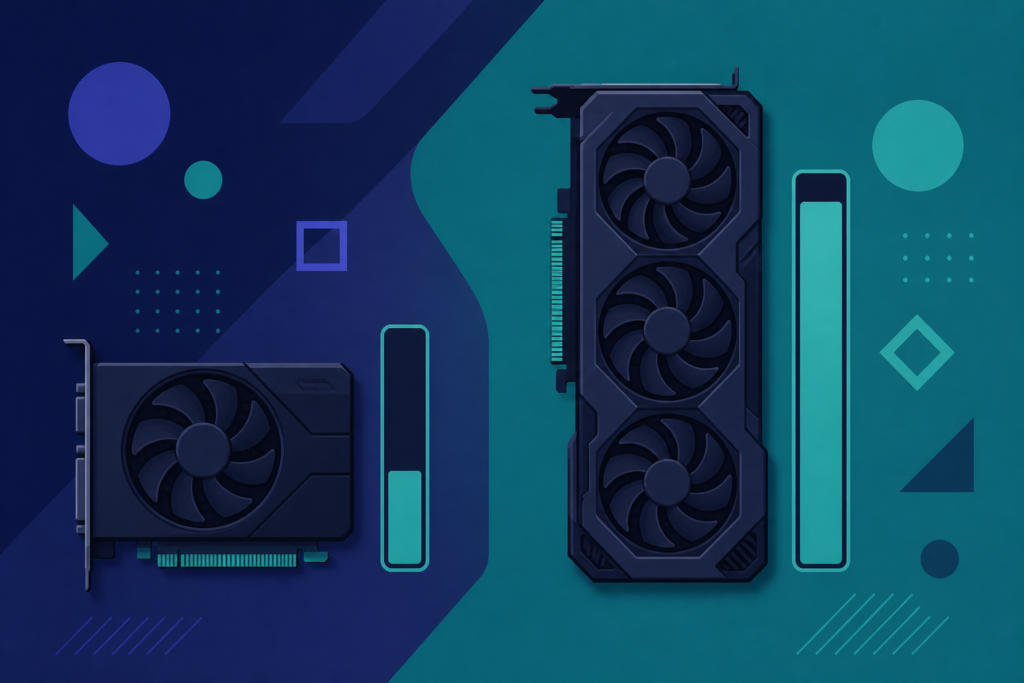
The B200 has 192 GB HBM3e, 8 TB/s memory bandwidth, and up to 20 PFLOPS of FP4 compute. That memory figure is the headline differentiator. One B200 has up to 192 GB of VRAM — enough memory for roughly 303B parameters at 4-bit or 81B at 16-bit, assuming a 32K context.
With the Blackwell line, NVIDIA dropped PCIe from its major data center GPUs. Whereas you could plug an H100 into a standard server, the B200 can only be housed in top-tier systems. This physical constraint reduces supply and keeps the premium high. Demand is extremely high, which keeps pricing volatile and access limited.
The practical result: a B200 can serve Llama 3.3 70B at FP8 on a single card — H100 requires two cards for the same model. For teams running 70B+ parameter inference at scale, that consolidation alone can flip the cost math in the B200’s favor.
B200 Cloud Price Comparison: Provider-by-Provider Breakdown (September 2026)
B200 GPU pricing spans $3.75 to $27.04 per hour for identical silicon — a 7× spread across clouds — driven by provider tier, tenancy model, and contract terms. The table below consolidates publicly available on-demand rates. Figures are sourced from provider pricing pages and tracking aggregators as of late August/early September 2026. Always verify on the provider’s own page before provisioning.
| Provider | Tier | On-Demand Rate (per GPU/hr) | Spot/Interruptible | Notes |
|---|---|---|---|---|
| Spheron | Neo-cloud / Specialist | ~$3.70 | ~$2.74 (spot) | Spot is ~26% below on-demand |
| Specialist clouds (floor) | Specialist | from ~$3.75 | Varies | Lowest publicly verified on-demand floor as of Aug 2026 |
| Lambda Labs | Neo-cloud | ~$4.99 | N/A | On-demand availability varies by region |
| RunPod (Secure Cloud) | Specialist | ~$5.89 | Not available for B200 | Per-minute billing; dedicated hardware |
| Modal (Serverless) | Specialist / Serverless | ~$6.25 | Scale-to-zero | Billed per second; no idle cost |
| Median (18 providers) | Market median | $6.52 | — | September 1, 2026 snapshot |
| AWS (p6-B200) | Hyperscaler | ~$14.24 | ~$2.70 (spot, limited availability) | 8-GPU node only; normalized per GPU |
| Google Cloud | Hyperscaler | up to ~$16.11 | Flex-start / Spot available | Reservation or on-demand-equivalent shown |
Source: Provider pricing pages, getdeploying.com, thundercompute.com, spheron.network — August/September 2026. Prices are on-demand, US regions, USD. 8-GPU node prices normalized to per-GPU where applicable. Verify before provisioning — rates change frequently.
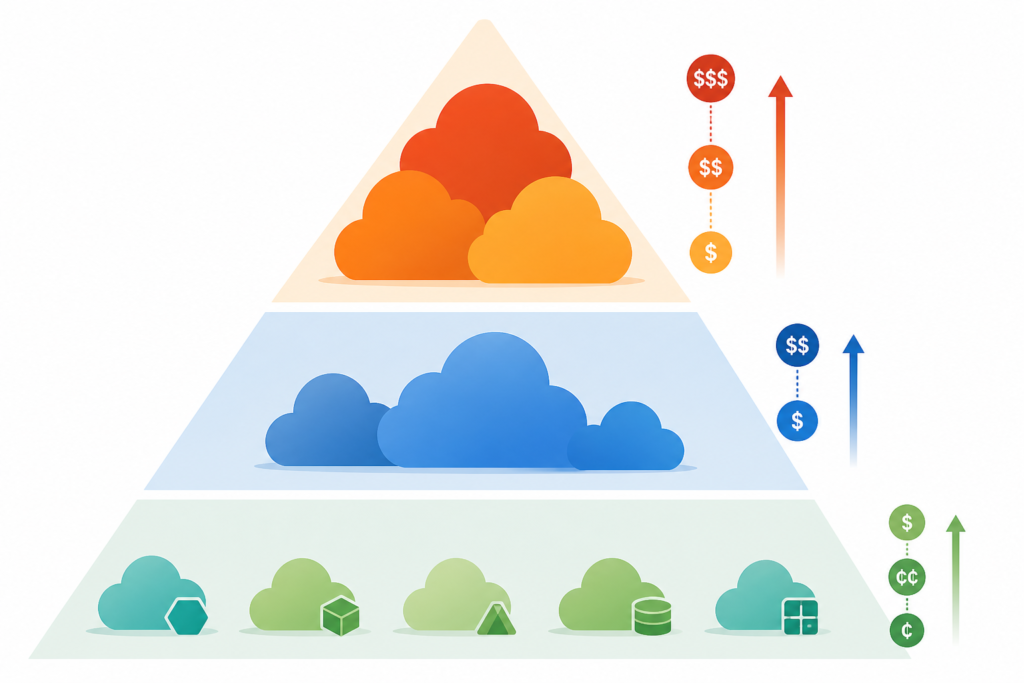
Neo-cloud providers like Spheron, RunPod, Lambda, and Nebius operate with lower overhead and often aggregate third-party data center supply. Hyperscalers like AWS, Azure, and GCP carry substantially higher margins and infrastructure costs. The same B200 SXM6 hardware sitting at ~$3.70/hr on a specialist cloud costs ~$14.24/hr on AWS — a 3.8× premium purely for the brand and ecosystem integration.
What Drives the 7× Pricing Spread?
Understanding why identical silicon costs so much more on one platform than another helps you make a rational sourcing decision rather than defaulting to a familiar logo.
1. Provider Tier and Overhead Structure
Hyperscalers bundle global redundancy, compliance certifications, managed services, 24/7 enterprise SLAs, and integrated billing into their base rates. Specialist GPU clouds strip most of that away, passing the saving directly to compute cost. If your team manages its own monitoring, networking, and compliance stack, you are paying for overhead you do not use on a hyperscaler.
2. Tenancy Model
Shared (multi-tenant) instances are cheapest. Dedicated single-tenant access typically adds 40–60% versus the floor rate on the same provider — but it eliminates noisy-neighbor risk on memory-bandwidth-sensitive workloads like LLM inference, where consistent latency matters.
3. Purchasing Mode: On-Demand vs. Spot vs. Reserved
This is the biggest lever most teams underuse. Spot instances use unused capacity. Spheron spot starts at $2.74/hr — a 26% discount from its $3.70/hr on-demand rate. AWS p6 spot runs approximately $2.70/hr for a similar saving, but AWS spot availability for P6 instances is inconsistent.
For reserved capacity, most neo-cloud providers do not publish formal reserved pricing for B200. CoreWeave’s typical contract arrangement for multi-GPU B200 clusters can reach 15–25% below on-demand rates for 6-month or longer commitments, but requires a direct conversation.
Reserved-capacity options provide a fixed block of resources — acceptable for static workloads, but for variable workloads they result in increased latency when demand is high and wasted money when demand is low.
4. Node vs. Per-GPU Pricing
Node prices are normalized to a per-GPU figure where a provider only sells full 8-GPU nodes. AWS and GCP, for example, only sell B200 in 8-GPU instances, so you always pay for all eight cards whether or not you use them all. Specialist clouds that allow single-GPU rental give bursty workloads far more cost control.
8-GPU B200 Node Pricing: What a Full Training Cluster Costs
For teams running large-scale distributed training or full-stack inference serving, the relevant unit is the 8-GPU bare-metal node, not the per-GPU rate. GPU Finder currently tracks a live 8-GPU B200 instance from $35.20/hr. At $35.20/hr for the bundle, an 8× B200 server runs about $25,344/month at 24×30 utilization.
Put that in context: a continuous 8× B200 training run for one month costs roughly $25K on-demand. At the hyperscaler rate (~$14/GPU × 8 GPUs = $112/hr), the same utilization profile would exceed $80,000/month. The decision to run on a specialist cloud versus a hyperscaler is genuinely a six-figure annual budget decision at this GPU count.
| Scenario | Rate Assumption | 10-Hour Cost (1 GPU) | 30-Day Cost (8 GPUs, 24/7) |
|---|---|---|---|
| Specialist cloud spot | ~$2.74/GPU-hr | ~$27 | ~$15,811 |
| Specialist cloud on-demand | ~$3.75/GPU-hr | ~$37.50 | ~$21,600 |
| Mid-tier specialist (RunPod, Modal) | ~$6.25/GPU-hr | ~$62.50 | ~$36,000 |
| Hyperscaler on-demand (AWS p6) | ~$14.24/GPU-hr | ~$142.40 | ~$82,022 |
| Hyperscaler premium tier | ~$16.11/GPU-hr | ~$161.10 | ~$92,795 |
Monthly figures assume 24 hours/day × 30 days × 8 GPUs. For verification, see provider pricing pages directly — these are illustrative projections based on per-GPU rates found in August/September 2026 research.
B200 vs. H100 vs. H200: When Does the Price Premium Pay Off?
The B200’s price per GPU-hour is higher than the H100 in every category. Whether the premium is justified depends entirely on your workload.
| Dimension | H100 SXM (80 GB) | H200 SXM (141 GB) | B200 SXM (192 GB) |
|---|---|---|---|
| VRAM | 80 GB HBM3 | 141 GB HBM3e | 192 GB HBM3e |
| Memory Bandwidth | ~3.35 TB/s | ~4.8 TB/s | 8 TB/s |
| FP4 Compute | Not supported | Not supported | Up to 20 PFLOPS |
| On-Demand Floor (2026) | ~$2–3.50/hr | ~$3.50–5/hr | ~$3.75–16.11/hr |
| 70B Model — GPUs Required | 2 | 1 | 1 |
| Availability | Wide | Moderate | Limited, improving |
| Best For | Sub-34B inference, fine-tuning | Mid-size models, training | 400B+ inference, frontier training |
The B200 delivers up to 2.5× the LLM throughput of H100 at FP8 and adds FP4 precision that H100 does not support. But for sub-34B model inference where H100 SXM has sufficient memory, H100 is cheaper per GPU-hour.
10 hours on the cheapest B200 still costs more than 18 hours of an H100 80GB at $3.20/hr. For workloads that fit in 80 GB, on-demand H100 availability is difficult to match with Blackwell GPUs. The calculus flips when you cross the 80 GB memory ceiling or when throughput (tokens/second) at scale becomes the binding constraint — both of which happen quickly with modern 70B–400B frontier models.
How to Choose the Right B200 Purchasing Strategy
There is no single right answer. The decision tree below covers the most common situations for engineering and infrastructure teams.
- Define your memory requirement first. If your model fits in 80 GB, H100 is cheaper and more available. Only commit to B200 if you genuinely need more than 80–141 GB VRAM per GPU, or if throughput at FP8/FP4 is the bottleneck.
- Estimate GPU-hours per month. Below ~200 GPU-hours/month, on-demand (no reservation) is almost always cheaper even at a higher hourly rate. Reservations make economic sense when utilization exceeds 60–70% consistently.
- Bursty workload? Go serverless or spot. Modal serverless B200s at $6.25/hour is the most cost-effective option for bursty workloads. Scale-to-zero billing means you never pay for idle GPU time — critical for inference APIs with variable traffic.
- Steady-state training? Negotiate reserved capacity. For committed multi-month training runs, reserved capacity from specialist clouds can cut 15–25% off on-demand rates. Get quotes from at least two providers before signing.
- Need enterprise compliance or managed services? Hyperscaler rates may be justifiable if you need VPC integration, enterprise SLAs, SOC 2 / HIPAA coverage, and unified billing across a large organization’s existing cloud contract. Quantify the value of those services before paying the 3–4× premium on raw compute.
- Consider egress and networking costs. At scale, data egress from hyperscalers (typically $0.08–$0.09/GB) can add meaningfully to total cost. If your training data lives in the same hyperscaler’s object storage, that integration may offset some of the GPU-hour premium. If it doesn’t, specialist clouds win on total cost.
B200 On-Demand vs. Spot vs. Reserved: Cost Scenarios Side by Side
The purchasing mode you choose matters as much as the provider you choose. Here is how the three modes compare in practice for a team running a single B200 GPU for 200 hours per month (a medium-sized inference or fine-tuning workload):
| Mode | Rate (illustrative) | 200 hrs/month Cost | Risk | Best For |
|---|---|---|---|---|
| Spot / Preemptible | ~$2.74/hr | ~$548 | Interruption at any time | Fault-tolerant training, checkpointing jobs |
| On-Demand (specialist) | ~$3.75–6.25/hr | ~$750–$1,250 | Availability varies | Inference APIs, interactive workloads |
| Reserved / Committed (specialist) | ~$3.20–5.00/hr (est.) | ~$640–$1,000 | Locked capacity, upfront cost | Continuous training, production serving |
| On-Demand (hyperscaler) | ~$14.24/hr | ~$2,848 | Low — guaranteed capacity | Enterprise compliance, integrated ecosystem |
Note: Reserved rates for B200 on specialist clouds are often not published and require direct negotiation. The figures above are illustrative estimates based on typical discount levels reported in the market. Verify reserved pricing directly with each provider.
B200 vs. Buying Hardware Outright: The Build-vs-Rent Decision
Some teams at sufficient scale ask whether they should stop renting entirely. At $30K per card, breakeven against $6–8/hour cloud rates happens at approximately 60% utilization over 18 months, excluding electricity and cooling. Factor in datacenter space — roughly 14 kW per DGX B200 — and staffing costs before buying.
The on-premise path only wins if you can guarantee high and consistent GPU utilization over a multi-year period. For most startups and mid-market AI teams, cloud rental remains the rational choice because it keeps capital expenditure off the balance sheet and allows scaling down if model requirements change. For large enterprises with stable, predictable workloads running at scale — think a hyperscaler-level serving fleet — owned hardware can deliver better long-run unit economics, but the operational complexity and capex risk are significant.
For teams exploring GPU cloud cost optimization strategies or comparing reserved vs. on-demand GPU purchasing in depth, those topics are covered in dedicated guides on this site.
Which LLMs Fit on a Single B200?
One of the most practical questions for inference teams is whether a given model fits in a single card’s VRAM, which eliminates inter-GPU communication overhead and simplifies deployment significantly.
| Model Size | Precision | Approx. VRAM Required | Fits on 1× B200 (192 GB)? | GPUs Needed on H100 (80 GB) |
|---|---|---|---|---|
| 7B / 8B | FP16 | ~16 GB | Yes (easily) | 1 |
| 34B | FP16 | ~68 GB | Yes | 1 |
| 70B | FP8 | ~70–80 GB | Yes | 2 |
| 70B | FP16 | ~140 GB | Yes | 2 |
| ~80B | FP16 (32K ctx) | ~192 GB | At the limit | 3–4 |
| 405B | FP4 | ~200+ GB | No (2× B200 min) | 6–8 |
In practice, 192 GB is enough memory for roughly 303B parameters at 4-bit or 81B at 16-bit, assuming a 32K context. Teams running frontier open-weight models like Llama 3.1 405B or similar will still need multi-GPU setups, but the B200’s memory capacity cuts the node count by half or more compared to H100. For more guidance on GPU selection for specific model sizes, see our GPU VRAM requirements guide for LLMs and the H100 vs B200 comparison breakdowns.
Availability: Where Can You Actually Get B200 Access?
Availability is limited and often restricted to enterprise customers. B200 is newer Blackwell hardware with more memory per GPU, but 8× B200 availability is tighter than 8× H200 in 2026. RunPod lists B200 SXM6 in Secure Cloud at $5.89/hr per GPU with per-minute billing. No spot or preemptible option is available on RunPod for B200. The Secure Cloud tier provides dedicated hardware with consistent performance.
Practically speaking, B200 access in 2026 is a tiered market:
- Open/self-serve (no waitlist): A small number of specialist clouds now offer on-demand B200 access without enterprise agreements, typically at the $3.75–$6.25/hr range.
- Waitlist or priority queue: Several providers have open waitlists. Position in queue correlates with planned GPU-hour commitment and relationship history.
- Enterprise contract only: Hyperscalers like AWS and GCP generally require enterprise enrollment, capacity block purchases, or direct sales engagement for sustained B200 access — particularly for multi-node clusters.
Availability changes week to week. Use a GPU availability tracker or set price/availability alerts on aggregator platforms to catch new inventory without constant manual monitoring.
How to Reduce Your B200 Cloud Bill in Practice
Even after choosing the right provider tier and purchasing mode, there are additional levers to reduce effective cost per useful unit of compute:
- Use FP8 or FP4 precision. The B200’s FP4 support is exclusive to Blackwell. Running inference at FP4 versus FP16 roughly doubles throughput per GPU-hour, cutting effective cost per token in half. Validate accuracy degradation on your benchmark before deploying to production.
- Implement aggressive checkpointing for training. If using spot instances, checkpoint every 5–10 minutes so interruptions cost you minutes of lost compute rather than hours.
- Right-size node count dynamically. For inference APIs with variable traffic, autoscaling from 1 to N GPUs based on request queue depth is far cheaper than reserving peak capacity at all times. Serverless platforms automate this; self-managed Kubernetes clusters need a GPU-aware autoscaler configured explicitly.
- Batch inference requests. The B200’s high memory bandwidth means it saturates quickly with large batches. Continuous batching engines like vLLM or TGI are essential to achieve maximum tokens/second per dollar.
- Monitor idle time religiously. On-demand GPU hours billed while the GPU sits idle at 5% utilization are pure waste. Set utilization alarms and auto-stop policies. Even a 20% reduction in idle billing can translate to thousands of dollars per month at B200 rates.
For a deeper playbook, see our how to cut cloud GPU costs guide, which covers GPU rightsizing, autoscaling patterns, and spot interruption handling end-to-end.
About the Author
Nhon Dang is a cloud infrastructure and operations professional with over 10 years of hands-on experience in cloud services, infrastructure, and business operations. His expertise spans the design, deployment, and operation of cloud platforms and managed services — including virtual machines, Kubernetes, object storage, managed databases, Apache Kafka, and cloud GPU infrastructure. Nhon writes for cloudgpuhub.com sharing practical, experience-driven guidance to help engineers, technical teams, and businesses make better decisions when adopting and operating cloud technologies.
Frequently Asked Questions
How much does a B200 GPU cost per hour in the cloud?
As of September 2026, NVIDIA B200 cloud GPU pricing ranges from approximately $3.75/hr on specialist clouds to $16.11/hr on premium hyperscaler tiers. The median on-demand rate across 18 providers is around $6.52/GPU-hour. Spot instances can drop the rate to roughly $2.70–$2.74/hr on providers that offer them, though availability is inconsistent. Always verify directly on the provider’s pricing page before provisioning, as rates change frequently.
Why is B200 cloud pricing so much higher than H100?
The B200 commands a premium for three structural reasons: (1) it delivers up to 2.5× the LLM throughput of an H100 at FP8 and supports FP4 precision that H100 does not; (2) it carries 192 GB of HBM3e memory versus 80 GB on the H100, enabling single-GPU serving of 70B+ models that would require two H100s; and (3) supply is constrained because the B200 can only operate in top-tier SXM6 systems — it cannot be plugged into standard servers like the H100 could. Demand significantly exceeds current supply, which keeps pricing elevated.
What is the cheapest way to rent a B200 GPU in the cloud?
The cheapest publicly verified B200 rates in 2026 start at roughly $3.75/GPU-hour on specialist GPU clouds in on-demand mode, or around $2.74/hr on spot/preemptible capacity. To minimize cost: (1) use spot instances for fault-tolerant training workloads with regular checkpointing; (2) consider serverless billing platforms where you only pay for actual GPU time used; (3) negotiate reserved capacity with specialist clouds for 15–25% discounts on 6-month+ commitments. Avoid hyperscalers unless you require their enterprise ecosystem — the same GPU costs 3–4× more there.
Is it worth renting a B200 instead of an H100?
It depends entirely on your model size and throughput requirements. If your model fits in 80 GB of VRAM and you don’t need FP4 precision, the H100 remains cheaper and more available. The B200 justifies its premium when you’re running 70B+ parameter models (which need 2× H100 but fit on 1× B200), when FP8/FP4 throughput is the binding constraint at scale, or when you need to serve frontier 200B–400B models that simply won’t fit on older hardware. For sub-34B inference, the H100 typically delivers better cost per token.
How much does an 8× B200 node cost per month?
Based on current on-demand pricing data, an 8-GPU B200 bare-metal node starts at approximately $35.20/hr, which translates to roughly $25,344/month at 24/7 utilization (24 hours × 30 days). At hyperscaler rates (~$14.24/GPU/hr), the same configuration would cost over $80,000/month. These are on-demand estimates — reserved capacity or spot pricing can reduce monthly spend materially for committed workloads.
Does AWS offer B200 GPU instances?
Yes. AWS offers B200-based instances through its p6 family. On-demand rates are approximately $14.24/GPU-hour (normalized from the 8-GPU node price), making AWS one of the more expensive options for raw B200 compute. AWS also offers p6-B200 Capacity Blocks — a separate reserved-capacity product — which can offer cost savings for committed usage. Spot availability for p6 instances exists but is inconsistent. AWS access is often limited to enterprise customers or requires a capacity block reservation.
What models can run on a single B200 GPU?
A single B200 with 192 GB of HBM3e can serve models up to approximately 81B parameters at FP16 (with 32K context) or around 303B parameters at 4-bit precision. In practical terms: Llama 3.1 70B fits comfortably at FP8 on a single B200, whereas it requires two H100 SXM GPUs. Models in the 400B+ range (like Llama 3.1 405B at FP16) will still require multiple B200 GPUs, but the node count is roughly half what you’d need with H100.
Should I use spot instances for B200 workloads?
Spot instances are an excellent choice for B200 training runs that implement regular checkpointing (every 5–10 minutes), batch processing jobs, and data preprocessing pipelines that are naturally restartable. They are a poor fit for live inference APIs that require consistent uptime, real-time interactive workloads, or any job where an unexpected interruption would cause significant downstream impact. Spot discounts for B200 can reach 25–74% depending on provider, which makes the risk/reward tradeoff very compelling for long training runs with proper fault tolerance.