
Learn how to fine‑tune a large language model (LLM) on a cloud GPU efficiently using modern methods like QLoRA—step‑by‑step provisioning, setup, tuning, cost‑optimization, and deployment.
What does “fine‑tune LLM cloud GPU” mean?
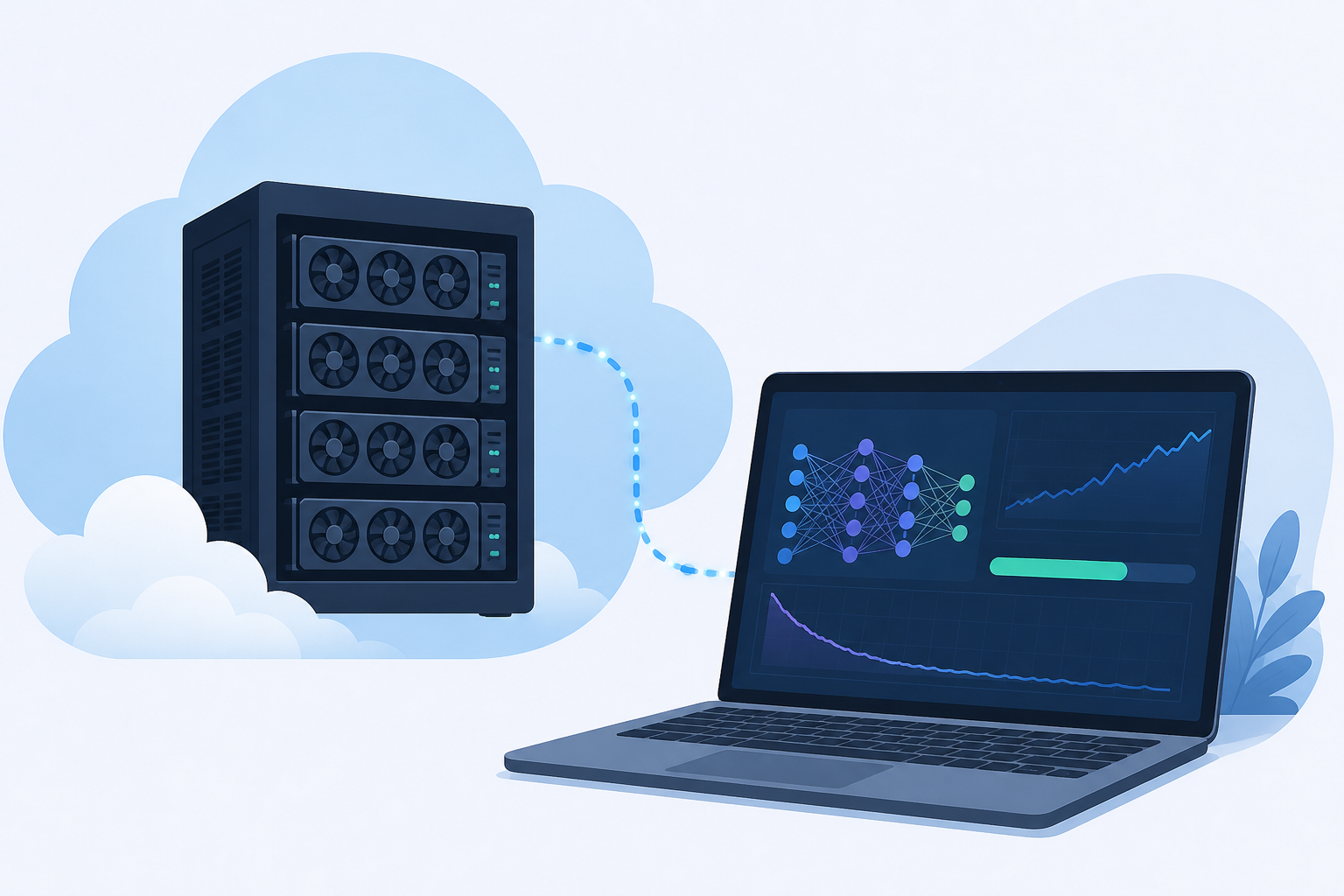
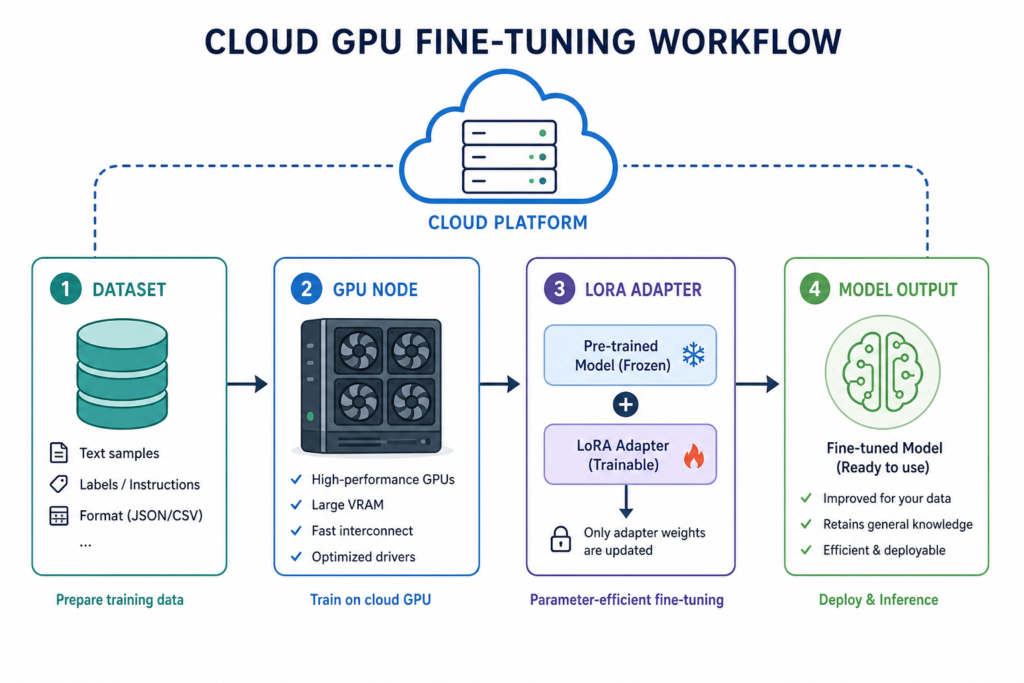
Fine‑tune an LLM on cloud GPU means adapting a pre‑trained large language model to your specific data or task by running training jobs on GPU instances hosted in the cloud.
Step 1: Which fine‑tuning method should you choose?
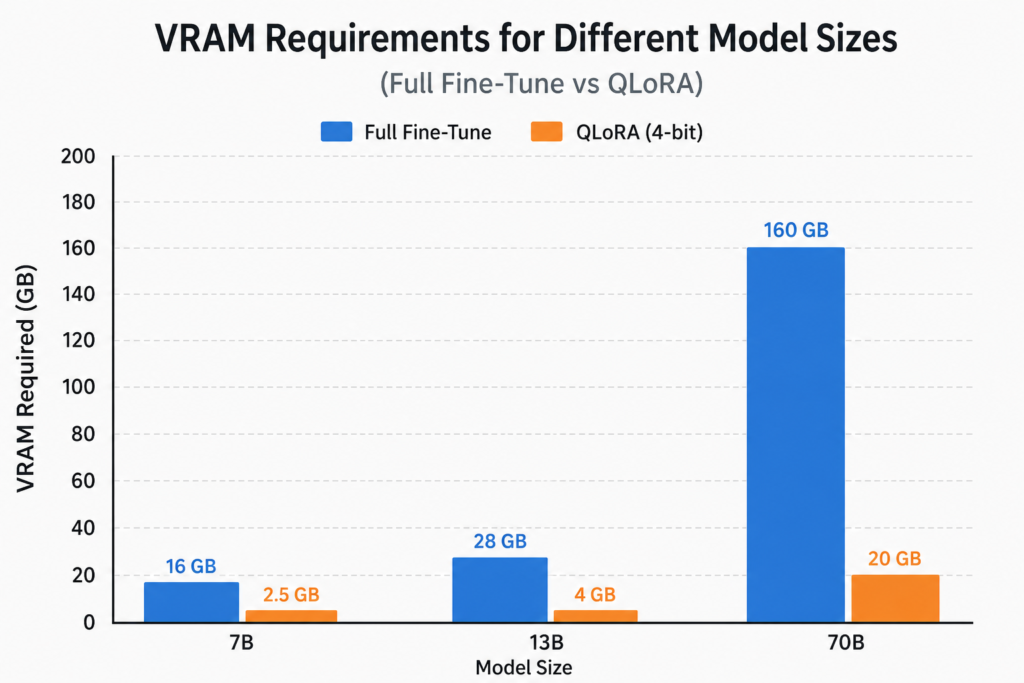
- Full fine‑tuning: updates all model weights, yields best performance but needs massive VRAM—often multi‑GPU or clusters.
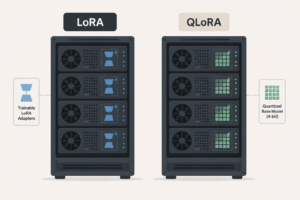
- LoRA (Low‑Rank Adaptation): parameter‑efficient, trains adapter layers only; cuts VRAM by ~60‑70% while maintaining quality ([gigagpu.com](https://gigagpu.com/cost-fine-tune-llm-gpu-method/?utm_source=openai)).
- QLoRA: LoRA + 4‑bit quantization enables fine‑tuning models like 70B on single GPUs with ~40‑56 GB VRAM ([lightyear.host](https://lightyear.host/blog/how-to-fine-tune-llm-on-cloud-gpu)).
Recommendation: start with QLoRA—it balances cost, feasibility, and quality in 2026 ([packet.ai](https://packet.ai/blog/fine-tuning-llm-gpu-a100-vs-h100)).
Step 2: Select the right GPU size and cloud provider
General VRAM sizing guide:
| Model Size | QLoRA VRAM | Recommended GPU |
|---|---|---|
| 7B | ~6–10 GB | A16 (16 GB) or A40 (48 GB) |
| 13B | ~12–18 GB | A40 (48 GB) |
| 30B | ~20–28 GB | A100 40 GB or A40 |
| 70B | ~48–56 GB | A100 80 GB (or H100) |
These numbers come from practical guidance comparing full versus QLoRA fine‑tuning ([lightyear.host](https://lightyear.host/blog/how-to-fine-tune-llm-on-cloud-gpu)).
Cost estimates:
- QLoRA fine‑tuning 70B on A100 80 GB: $34–$51 (24–36 h) ([packet.ai](https://packet.ai/blog/fine-tuning-llm-gpu-a100-vs-h100)).
- On H100: same run takes ~8–12 h, costing ~$20–$30 ([packet.ai](https://packet.ai/blog/fine-tuning-llm-gpu-a100-vs-h100)).
- Enterprise estimate: single LoRA/PEFT run: $50–$500; full fine‑tuning: $2K–$50K; QLoRA run on H100: $10–$16 ([gmware.com](https://gmware.com/blog/llm-fine-tuning-cost/)).
- For small models even cheaper—some runs cost under $0.40 using budget GPU like RTX 4090 on Vast.ai (~45 min) ([gpucloudlist.com](https://www.gpucloudlist.com/en/blog/gpu-cloud-fine-tuning-llms)).
Step 3: Provision cloud GPU instance
Use a cloud GPU instance with required VRAM. Example setup:
- Choose provider—AWS, GCP, Azure, or GPU‑specialty cloud (Packet.ai, Vast.ai, CoreWeave). Pricing varies significantly; always verify current rates ([calculator.cloudrix.io](https://calculator.cloudrix.io/blog/gpu-cloud-pricing-ai-ml)).
- Select GPU: e.g., A100 80 GB or H100 80 GB depending on model size and budget.
- Use spot/preemptible instances when possible to cut costs.
- Pick Ubuntu 22.04 with CUDA pre‑installed—or install manually.
Step 4: Set up dependencies
Install necessary libraries:
- PyTorch with CUDA support
- Hugging Face
transformersanddatasets peftfor LoRA adaptersbitsandbytesfor 4‑bit quantization
One command like pip install torch transformers datasets peft bitsandbytes handles setup—adjust for CUDA version.
Step 5: Prepare your dataset
Format your data as instruction‑response pairs or plain text, depending on model type. A dataset of 1,000–10,000 high‑quality examples often suffices ([lightyear.host](https://lightyear.host/blog/how-to-fine-tune-llm-on-cloud-gpu)).
Use Hugging Face Dataset objects for compatibility.
Step 6: Configure and run QLoRA training
Typical configuration:
- Load base model in 4‑bit using
BitsAndBytesConfig. - Wrap with LoRA on attention projection layers (e.g.,
q_proj,v_proj); start with rank 16–64 and alpha 32–128 ([lightyear.host](https://lightyear.host/blog/how-to-fine-tune-llm-on-cloud-gpu?utm_source=openai)). - Use Hugging Face
Traineror TRL’sSFTTrainerfor supervised fine‑tuning. - Monitor training and validation loss to detect overfitting; early stopping, reduce epochs or regularization if needed.
- After fine‑tuning, merge adapter weights and export standard model for serving.
Step 7: Merge, export, and deploy
After training, merge LoRA adapters into the base model and save in Hugging Face format. Serve using vLLM, Ollama, or another inference framework ([lightyear.host](https://lightyear.host/blog/how-to-fine-tune-llm-on-cloud-gpu)).
Step 8: Optimize cost and efficiency
Key cost controls:
- Use QLoRA by default.
- Use fast methods like Unsloth to halve training time and cost ([spheron.network](https://www.spheron.network/blog/how-to-fine-tune-llm-2026/)).
- Test on small sample (e.g., 100 examples) before full run.
- Checkpoint frequently and use spot instances.
Inference cost tip
Fine‑tuning compute is cheap—infra and data costs often dominate. Optimize inference by right‑sizing models, caching, batching to raise utilization, and choosing managed vs self‑hosted based on volume ([cloudcostroom.com](https://cloudcostroom.com/blog/inference-cost-optimization-for-large-language-models)).
Inline Illustration 1
Inline Illustration 2
Frequently Asked Questions
- Can I fine‑tune a 70B model on a single GPU? Yes—with QLoRA and a ≥48 GB GPU like A100 80 GB or H100, you can fine‑tune 70B in under ~$50 and a day or less ([packet.ai](https://packet.ai/blog/fine-tuning-llm-gpu-a100-vs-h100)).
- Why use QLoRA instead of full fine‑tuning? QLoRA drastically lowers VRAM and compute costs while maintaining quality—full fine‑tuning requires multi‑GPU and is expensive ([gigagpu.com](https://gigagpu.com/cost-fine-tune-llm-gpu-method/)).
- How much data do I need? Typically 1,000–10,000 high‑quality examples formatted for your task suffice ([lightyear.host](https://lightyear.host/blog/how-to-fine-tune-llm-on-cloud-gpu)).
- What GPUs should I rent? For QLoRA: A40 (48 GB) for up to 13B, A100 80 GB or H100 for 30–70B. Budget options: RTX 4090 (~24 GB) for small models ([lightyear.host](https://lightyear.host/blog/how-to-fine-tune-llm-on-cloud-gpu)).
- How do I control GPU cloud costs? Use spot pricing, right‑size GPU, batch training, checkpoint, use parameter‑efficient methods, and test small samples first.
Further reading
- QLoRA vs full fine‑tuning cost breakdown
- Cloud GPU providers comparison for AI workloads
- Inference cost optimization after fine‑tuning
About the Author
cloudgpuhub.com – Nhon Dang is a cloud infrastructure and operations professional with over 10 years of hands‑on experience in cloud services, infrastructure, and business operations. His expertise spans the design, deployment, and operation of cloud platforms and managed services, including VMs, Kubernetes, object storage, managed databases, Apache Kafka, and cloud GPU infrastructure. Nhon shares practical, business‑oriented insights on cloud computing and AI operations.