
Answer‑first: In 2026, the best GPU for LLM training depends on your model size and budget: for maximum throughput and capacity, NVIDIA’s B200 is top; for a balanced, available all‑rounder, H200 is often ideal; H100 remains a proven workhorse for most fine‑tuning; AMD’s MI300X is your best bet if VRAM per dollar matters; A100 still delivers value at mid‑size scale; and for solo/local work, consumer RTX 5090 or used RTX 3090 may suffice when optimized.
Last updated: September 27, 2026
What factors determine the “best GPU” for LLM training?
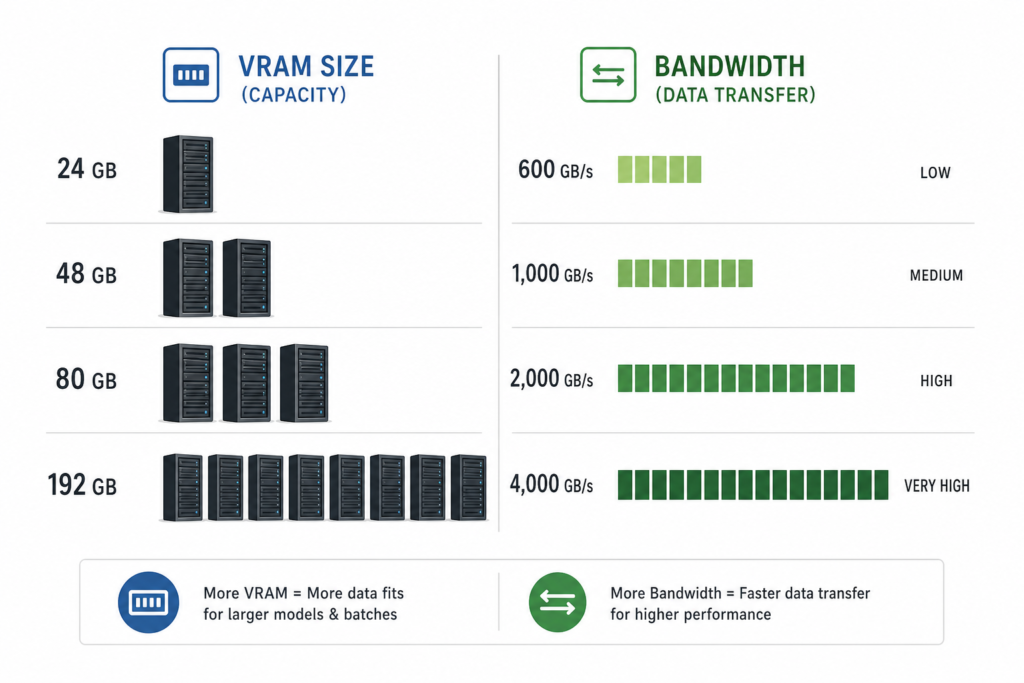
Best GPU for training LLMs is a GPU that delivers the right combination of memory capacity, memory bandwidth, compute throughput, and cost-efficiency for the model size and training workload you’re targeting.
- VRAM size: determines whether your model plus optimizer states and activations fit without sharding.
- Memory bandwidth: critical for throughput in transformer workloads dominated by matrix operations.
- Compute throughput (FP8/BF16 TFLOPS): how fast the GPU can process transformer layers.
- Availability and price: cloud rental cost or hardware purchase price must align with your budget.
Which GPU should I choose depending on my use case?
The right GPU depends on your model size, budget, and deployment context. Here’s a clearer breakdown:
| Workload | Top Recommendation | Why it fits | Typical Price*/hr |
|---|---|---|---|
| Frontier pre‑training (largest models) | NVIDIA B200 | 192 GB HBM3e, ~4.5 PFLOPS FP8, NVLink 5.0, unmatched capacity | $8–12 |
| All‑round high‑end cloud training | NVIDIA H200 | 141 GB HBM3e, 4.8 TB/s bandwidth, good availability | ~$4.50 |
| Proven datacenter workhorse | NVIDIA H100 | 80 GB HBM3, 3.35 TB/s, strong ecosystem | $2.50–3.50 |
| High VRAM at lower cost | AMD MI300X | 192 GB HBM3, high bandwidth, better $/GB | $3–4.50 |
| Mid‑size fine‑tuning & budget training | NVIDIA A100 | 80 GB HBM2e, widely available, cost‑efficient | $1.50–3.20 |
| Local/single‑user setups | RTX 5090 (new) or RTX 3090 (used) | Consumer cards with sufficient VRAM to run moderate‑size models | Varies widely |
*Typical cloud rental rates as of Q1–Q3 2026, sourced from GPUCompare, GPUAdvisor, and GYGO listings.
How do players rank by specs and cost?
Key benchmarks from multiple sources confirm:
- B200: top throughput (~4,500 FP8 TFLOPS), huge 192 GB HBM3e, best for throughput‑per‑$ at scale, but limited availability and high power draw ([gpuadvisor.com](https://gpuadvisor.com/best-gpu-for/llm-training)).
- H200: 141 GB memory, 4.8 TB/s bandwidth, sweet spot for scale and cost (~$4.50/hr) ([gpuadvisor.com](https://gpuadvisor.com/best-gpu-for/llm-training)).
- H100: 80 GB, 3.35 TB/s, proven ecosystem (~$2.5–3.5/hr), still best-balanced for most fine-tuning ([gygo.com](https://gygo.com/resources/best-gpu-llm-training-2026/)).
- MI300X: 192 GB, 5.3 TB/s, strong value especially for large-model pretraining or inference ([gygo.com](https://gygo.com/resources/best-gpu-llm-training-2026/)).
- A100: solid 80 GB option with lower price; still highly used for mid‑size tasks ([gygo.com](https://gygo.com/resources/best-gpu-llm-training-2026/)).
GPUAdvisor and gpu.fm spelling out ranking logic match above: H200 as best overall, B200 as top tier if available, MI300X for VRAM budget, H100 workhorse, A100 value ([gpuadvisor.com](https://gpuadvisor.com/best-gpu-for/llm-training)).
What about local or consumer-grade GPUs?
If you’re training or tuning small to mid-size models locally (e.g., under ~30B parameters), high-end consumer GPUs can suffice:
- RTX 5090: 32 GB GDDR7, huge bandwidth (~1.79 TB/s), top consumer speed; MSRP ~$1,999 but street prices much higher ([knowledgelib.io](https://knowledgelib.io/computing/components/gpus-for-ai-training/2026)).
- RTX 3090 (used): 24 GB GDDR6X, excellent VRAM‑per‑dollar; king of value for local LLMs (~$800 used) ([craftrigs.com](https://craftrigs.com/comparisons/price-to-performance-ranking-every-gpu-local-llms/)).
But these lack NVLink, limited VRAM, and lower ecosystem support for multi‑GPU scaling—fine for developers or research but not for serious training scale.
How to choose: model size and context length checklist
Use this quick decision flow: fit your model and states into memory, maximize throughput, minimize cost:
- Model size (parameters + optimizer + activations): if >80 GB, rule out H100/A100; for >140 GB, rule out H200; <192 GB then B200 or MI300X.
- Throughput matters: B200 > H200 > H100 > MI300X > A100.
- Budget/rental cost: A100 is cheapest, H100 middle, H200 next, MI300X and B200 highest.
- Availability: H100/A100 more widely available; B200 limited; MI300X availability improving.
Can I mix consumer and datacenter GPUs?
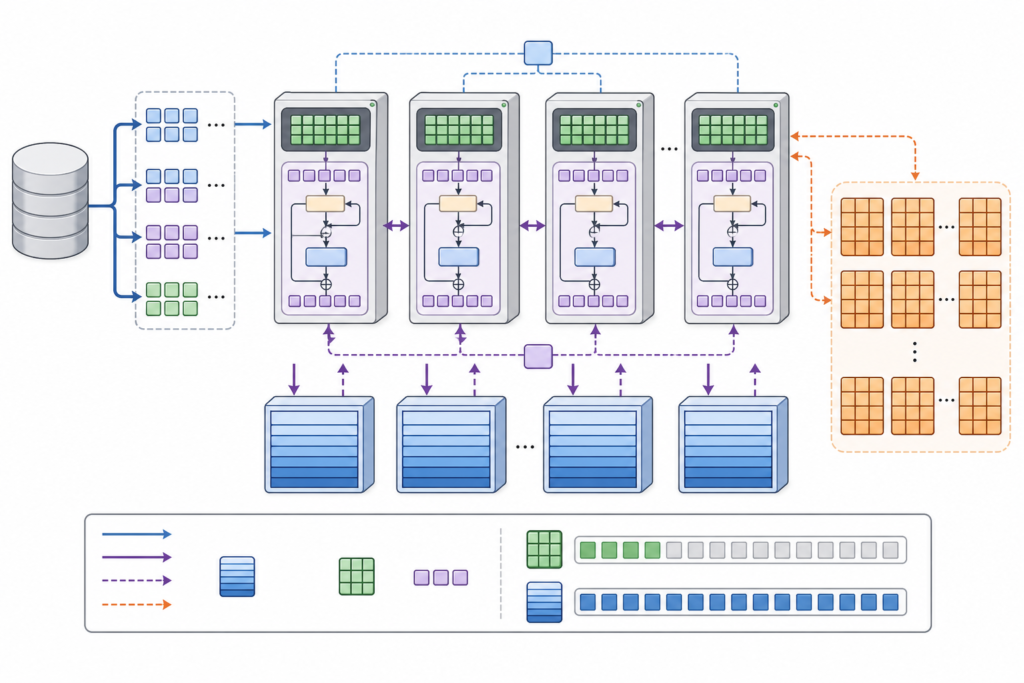
In multi‑GPU setups, datacenter GPUs like H100, H200, B200 support NVLink/InfiniBand, enabling efficient sharding of large models. Mixing with consumer GPUs gives no interconnect so is impractical for large-scale training.