
Last updated: September 6, 2026
The NVIDIA H100 is the dominant data-center GPU for large-scale AI training and inference. Built on the Hopper architecture with 80 GB of HBM3 memory and up to 3,958 TFLOPS of FP8 Tensor Core throughput, it delivers 3–5× the transformer-model performance of its predecessor, the A100. Whether you are spinning up a cloud cluster or evaluating an on-prem purchase, this guide gives you the numbers you need to decide fast — no fluff.
What Is the NVIDIA H100?
The NVIDIA H100 is a Hopper-architecture GPU (TSMC 4nm, 80 billion transistors) released in March 2023, designed primarily for training and running large AI models — including pre-training large language models, fine-tuning smaller models for specific tasks, and AI inference at commercial scale.
It is the first GPU featuring HBM3 memory, setting benchmarks in throughput, scalability, and security for enterprise and research deployments. The H100’s Transformer Engine — which automatically switches between FP8 and FP16 precision per operation during training — is why the chip outperforms the A100 by 3 to 5× on transformer models specifically.
H100 Technical Specifications: SXM5 vs PCIe
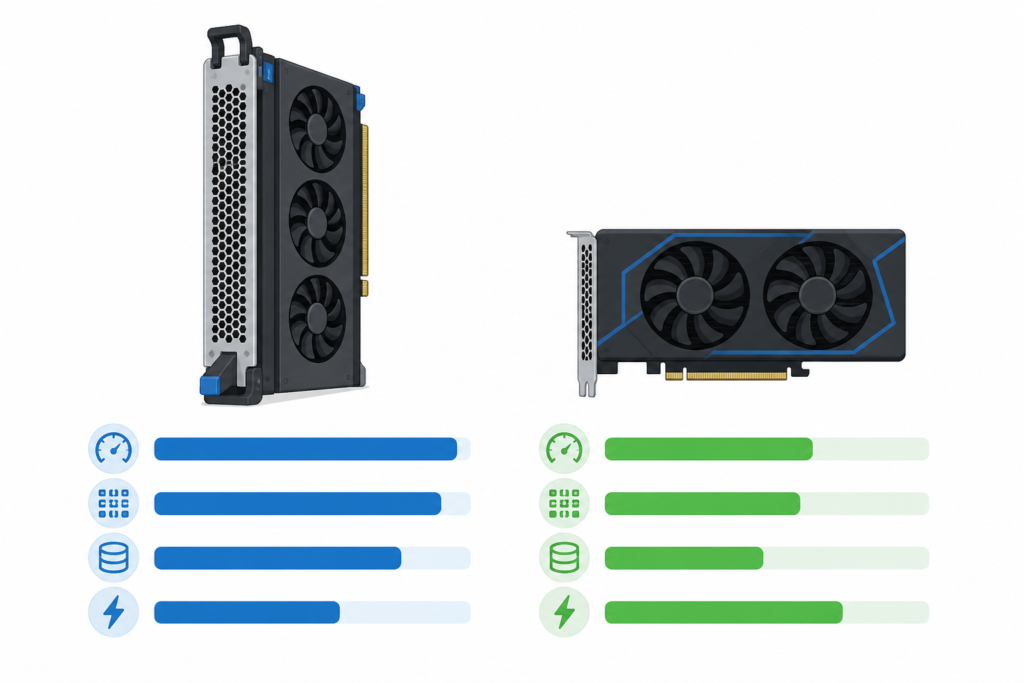
The H100 ships in two primary form factors: the SXM5 module (designed for dense NVLink-connected server nodes) and the PCIe card (a drop-in for any PCIe Gen5 server). Choosing the wrong variant for your workload is one of the most common and expensive mistakes teams make.
| Specification | H100 SXM5 | H100 PCIe |
|---|---|---|
| Architecture | Hopper (GH100) | Hopper (GH100) |
| GPU Memory | 80 GB HBM3 | 80 GB HBM2e |
| Memory Bandwidth | 3,350 GB/s | ~2,000 GB/s |
| FP16 Tensor (TFLOPS) | 989 | ~756 |
| FP8 Tensor (TFLOPS) | ~3,958 | ~3,026 |
| TDP | 700 W | 350 W |
| Interconnect | NVLink 4.0 (900 GB/s) | PCIe Gen5 (128 GB/s) |
| Multi-GPU Scaling | Up to 8 GPUs via NVSwitch | Up to 2 GPUs via NVLink bridge |
| Typical Purchase Price (2026) | $25,000–$40,000 | $20,000–$30,000 |
The SXM5 variant delivers 989 TFLOPS in FP16, 3,350 GB/s of HBM3 memory bandwidth, and 700 W TDP across 80 GB of on-chip memory. For multi-GPU training jobs — anything above a 30B-parameter model — the SXM5 variant in an NVLink pod is the right choice. The PCIe card is better suited for inference servers, single-node fine-tuning, and environments where you cannot justify the full SXM power budget.
The H100 also comes in an NVL (NVLink) variant that doubles up two GH100 dies for 188 GB of total memory, though due to EOL (End Of Life) notices for the H100 NVL variant starting Q3 2025, buyers should plan upgrades to the H200 or L40S models for future-proof deployments.
NVIDIA H100 Cloud GPU Pricing (2026)
Owning an H100 requires capital most teams cannot or should not deploy upfront. Cloud rental is the dominant access model, and the market has matured significantly since the 2023 shortage era.
Cloud rental runs $1.38 to $11.06 per GPU-hour depending on provider and configuration, with a market median of approximately $2.29 per hour. The wide spread reflects differences in SXM5 vs PCIe form factors, reserved vs on-demand billing, NVLink pod availability, and geographic region (US regions typically cost more than EU or Asia-Pacific zones).
What Drives the Price Spread?
- Form factor: SXM5 instances in 8-GPU NVLink pods rent at a premium — often $3.50–$6/hr per GPU — versus PCIe instances closer to $1.50–$2.50/hr.
- Commitment tier: On-demand rates are 30–50% higher than 1-month or 3-month reserved instances on most platforms.
- Interconnect access: Platforms that expose full NVLink bandwidth for distributed training charge accordingly — this is the right GPU for that job, so pay for the right network tier.
- Storage bundling: Some providers include NVMe local storage; others charge separately. Always check total cost per experiment, not just GPU-hours.
For occasional use (less than 40 hours per month), cloud rental costs under $100/month versus a $25,000+ purchase price. This is the clearest-cut case for rental: exploratory workloads, proof-of-concept runs, and burst training jobs that are irregular by nature.
Buy vs Rent the H100: The Break-Even Math
This is the question every CTO and CFO eventually asks. The answer depends on utilization rate more than almost any other variable.
Purchase Cost Model
New H100 SXM5 units cost $25,000 to $40,000 per GPU as of Q1 2026. An 8-GPU DGX H100 server system costs $400,000 or more. That sticker price is only the start:
- Data center rack space & power: An 8-GPU SXM5 node draws ~6.4 kW under load. At US commercial power rates (~$0.12/kWh), that is roughly $665/month in electricity alone per node — before cooling overhead (typically 1.3–1.5× PUE multiplier).
- Networking: InfiniBand HDR (200 Gb/s) or Ethernet at scale adds $5,000–$20,000 per node in switch and cabling costs.
- Operations: GPU servers require dedicated SRE/infrastructure time — budget at least 0.25 FTE per 4-node cluster.
- Depreciation: Most finance teams depreciate AI hardware over 3 years. At $30,000/GPU and a 3-year schedule, that is ~$833/GPU/month before opex.
Rental Cost Model
Training cost varies significantly based on model size and training duration: small models (1–7B parameters) run $50–$500 using 1–2 H100s for 10–50 hours; medium models (13–30B parameters) run $500–$3,000 using 4 H100s for 50–200 hours; large models (70B+ parameters) cost $10,000–$50,000 using 8 H100s for 300–1,000 hours.
At a median cloud rate of ~$2.29/hr per GPU, a single H100 running 24/7 for a full month costs approximately $1,650/month. Compare that to the all-in ownership cost of $1,200–$1,800/month per GPU (capex amortization + power + ops), and the lines cross at roughly 60–70% sustained utilization. Below that threshold, cloud wins. Above it, on-prem or reserved bare-metal becomes justifiable — but only if your team can operate the stack without burning the savings in engineering overhead.
| Utilization / Month | Cloud Cost (@ $2.29/hr avg) | On-Prem Est. Monthly Cost (amortized) | Verdict |
|---|---|---|---|
| < 40 hrs / month | ~$92 | ~$1,400 | Cloud — clear winner |
| 200 hrs / month | ~$458 | ~$1,400 | Cloud |
| 400 hrs / month (~55%) | ~$916 | ~$1,400 | Cloud (narrow margin) |
| 500 hrs / month (~69%) | ~$1,145 | ~$1,400 | Break-even zone |
| 720 hrs / month (100%) | ~$1,649 | ~$1,400 | On-prem (if ops are in-house) |
Note: On-prem monthly cost estimate includes $833 capex amortization (3-yr, $30K GPU), $110 power (700W × 720hr × $0.12 + 1.3 PUE), $200 networking/storage share, and $250 ops allocation. Verify current power and colocation rates for your region before publishing financial models internally.

NVIDIA H100 vs A100: Which Should You Use?
The A100 (Ampere, 2020) remains widely available at 40–60% lower cloud cost than the H100. The right choice depends entirely on your workload type.
| Dimension | H100 SXM5 | A100 SXM4 80GB |
|---|---|---|
| Architecture | Hopper (GH100, 4nm) | Ampere (GA100, 7nm) |
| FP16 TFLOPS | 989 | 312 |
| Memory | 80 GB HBM3 | 80 GB HBM2e |
| Memory Bandwidth | 3,350 GB/s | 2,000 GB/s |
| Transformer Engine | Yes (FP8/FP16 auto) | No |
| NVLink Bandwidth | 900 GB/s | 600 GB/s |
| Best For | LLM pre-training, large fine-tunes, real-time inference at scale | Established pipelines, budget inference, HPC/FP64 workloads |
| Avg Cloud Price | ~$2.29/hr | ~$1.20–$1.60/hr |
The H100 offers up to 4× the performance of the A100 in specific workloads. The Transformer Engine, which automatically switches between FP8 and FP16 precision per operation during training, is the key reason the H100 outperforms the A100 by 3 to 5× on transformer models specifically. However, if your workload is FP64-heavy (scientific simulation, CFD, molecular dynamics), the A100’s FP64 ratio is higher in practical terms and the lower cost per GPU-hour makes it the better value.
NVIDIA H100 vs H200: When Does It Make Sense to Upgrade?
NVIDIA’s H100 successor, the H200, began shipping in Q4 2024 with the same GH100 chip but 141 GB of HBM3e memory. The compute die is identical — the H200 is a memory upgrade, not an architectural leap. This matters enormously for workload routing:
- Memory-bound inference (long-context LLMs, multi-modal models): H200 wins — 141 GB enables serving 70B-parameter models in full BF16 without quantization, lowering latency and eliminating quantization accuracy loss.
- Compute-bound pre-training: H200 provides marginal benefit over H100 SXM5 because training throughput is gated by Tensor Core FLOPS, not memory capacity. The H100 is cheaper and more available here.
- Budget-constrained fine-tuning: H100 PCIe at ~$1.50–$2.50/hr is the practical choice — fine-tuning a 7B model with LoRA fits comfortably in 80 GB.
For organizations acquiring H100 hardware in 2026, H100s are now available without the supply constraints of 2023 to 2024, at lower prices, and with a large installed base of benchmarks, tuning guides, and cloud providers. The B200 (Blackwell) offers more raw throughput but at higher cost and with less mature deployment tooling, and the migration cost from established H100 training pipelines to B200 is non-trivial.
Primary Use Cases: What Workloads Is the H100 Built For?
1. Large Language Model Pre-Training
For large language model training at 7B+ parameters, the H100’s 80 GB memory and 989 TOPS performance make it essential — training models like LLaMA 2 70B requires H100-class memory capacity. When running 8-GPU NVLink pods, the 900 GB/s all-reduce bandwidth is the critical factor that keeps GPUs from idling on gradient synchronization.
2. Fine-Tuning and RLHF
Fine-tuning workflows (supervised fine-tuning, RLHF, DPO) are less memory-intensive than pre-training but still benefit from the H100’s Transformer Engine. A single H100 PCIe can fine-tune a 13B model with full-precision activations in hours rather than days. Using parameter-efficient methods like LoRA or QLoRA on an H100 cloud instance is currently the most cost-effective path to domain-specific LLM adaptation for most teams.
3. AI Inference at Scale
Its core innovations enable up to 30× inference speedup compared to prior generations. At production inference scale — serving thousands of concurrent requests — the H100’s FP8 quantization path via the Transformer Engine allows you to halve the memory footprint of weights without measurable quality degradation on most tasks, effectively doubling throughput per GPU compared to FP16-only inference on older hardware.
4. High-Performance Computing (HPC) and Scientific Simulation
Beyond AI, the H100 supports MIG (Multi-Instance GPU) partitioning, allowing a single physical GPU to be sliced into up to 7 independent MIG instances — each with its own memory, L2 cache, and compute partition. This is particularly valuable for shared HPC environments where multiple research groups need isolated, guaranteed-throughput access without noisy-neighbor interference.
H100 DGX Systems and Multi-GPU Configurations
In production AI infrastructure, H100s almost never operate in isolation. NVIDIA’s DGX H100 system packs 8× SXM5 GPUs connected via NVLink 4.0 and NVSwitch, delivering a combined 640 GB of HBM3 and ~7,200 GB/s of GPU-to-GPU bandwidth within the node. An 8-GPU DGX H100 server system costs $400,000 or more.
For organizations that need scale beyond a single node, DGX SuperPOD configurations connect multiple DGX nodes over InfiniBand NDR (400 Gb/s), enabling thousands of H100s to train a single model cohesively. At this scale, the network fabric — not the GPU — becomes the primary bottleneck and cost driver. Cloud providers who expose InfiniBand-backed H100 clusters are therefore worth the premium for distributed pre-training runs.
Is the H100 Still Worth It in 2026?
For organizations acquiring H100 hardware in 2026, the calculus is straightforward: H100s are now available without the supply constraints of 2023 to 2024, at lower prices, and with a large installed base of benchmarks, tuning guides, and cloud providers. The ecosystem around H100 — CUDA kernels, FlashAttention-3, vLLM, Megatron-LM, and framework-level optimizations — is extremely mature. This means less engineering time fighting driver or compatibility issues and more time actually training models.
For teams already running H100-optimized pipelines, the upgrade cost to Blackwell or Rubin (planned 2026–2027) is real: custom CUDA kernels, profiling baselines, and deployment configs all need revisiting. Unless your workload genuinely saturates H100 compute or you need FP4 precision (a Blackwell-only feature), staying on H100 through 2026 is a defensible and often optimal financial decision.
How to Choose the Right H100 Cloud Provider
Not all H100 cloud instances are equal. Here is the checklist practitioners actually use when evaluating providers:
- Confirm the form factor: Ask explicitly whether the instance uses SXM5 or PCIe. SXM5 with NVLink is critical for multi-GPU distributed training jobs above 30B parameters.
- Check the interconnect tier: For multi-node clusters, verify InfiniBand (HDR or NDR) is available — Ethernet-only clusters will bottleneck on all-reduce at scale.
- Evaluate storage I/O: Training on a 1 TB dataset requires fast storage — look for NVMe local scratch (3+ GB/s) and parallel object storage support (S3-compatible) with adequate bandwidth.
- Review SLA and uptime guarantees: GPU preemption on spot/interruptible instances can abort multi-day training runs. Confirm checkpointing support and instance reservation policies.
- Compare reserved vs on-demand pricing: A 1-month or 3-month commitment typically yields 30–40% savings versus on-demand, justifying commitment for any workload with predictable duration.
- Assess egress costs: Training produces large model checkpoints. Egress fees from cloud providers can add meaningfully to the total bill when checkpoints are exported to on-prem or another cloud.
For a broader comparison of H100 cloud options across providers and regions, see our cloud GPU pricing comparison guide.
Related GPUs and Next Steps
Depending on your workload and budget, the H100 may not be the optimal GPU. Consider these alternatives:
- NVIDIA A100 80GB: 40–60% lower cost, sufficient for inference and fine-tuning pipelines that don’t need the Transformer Engine. See our NVIDIA A100 guide for a full breakdown.
- NVIDIA H200: Identical compute to H100 SXM5 but 141 GB HBM3e — the right choice when you are memory-constrained on 70B+ model inference. Learn more in our NVIDIA H200 guide.
- NVIDIA L40S: A PCIe Ada Lovelace card optimized for inference and graphics-intensive AI workloads at a significantly lower price point. Good for serving mid-size models at high throughput.
- NVIDIA B200 (Blackwell): The current-generation successor with FP4 precision and higher raw FLOPS. Best for teams starting fresh pipelines and willing to absorb tooling immaturity.
If you are still deciding between cloud and on-prem for your AI infrastructure, our cloud GPU vs on-prem comparison guide walks through the full decision framework with realistic cost models.
About the Author
Nhon Dang is a cloud infrastructure and operations professional with over 10 years of hands-on experience in cloud services, infrastructure, and business operations. His expertise spans the design, deployment, and operation of cloud platforms and managed services — including virtual machines, Kubernetes, object storage, managed databases, Apache Kafka, and cloud GPU infrastructure. Nhon writes for cloudgpuhub.com, sharing insights grounded in real-world production experience to help engineers, technical teams, and businesses make better-informed decisions when adopting and operating cloud technologies.
Frequently Asked Questions
What is the NVIDIA H100 GPU used for?
The NVIDIA H100 is designed primarily for large-scale AI training and inference. Its main applications include pre-training large language models (LLMs), fine-tuning transformer-based models, high-throughput AI inference in production, and high-performance computing (HPC) workloads. Its Transformer Engine — which automatically switches between FP8 and FP16 precision — makes it 3–5× faster than the A100 on transformer model workloads specifically.
How much does the NVIDIA H100 cost to buy?
As of Q1 2026, new H100 SXM5 units cost $25,000–$40,000 per GPU, while H100 PCIe variants are priced at $20,000–$30,000. An 8-GPU DGX H100 server system costs $400,000 or more. Secondary-market and OEM bulk pricing can vary. Supply constraints that drove prices up in 2023–2024 have eased significantly by 2026.
How much does it cost to rent an H100 GPU in the cloud?
Cloud rental rates for the H100 range from approximately $1.38 to $11.06 per GPU-hour depending on provider, form factor (SXM5 vs PCIe), region, and commitment tier (on-demand vs reserved). The market median is approximately $2.29/hr. Reserved 1-month or 3-month instances typically reduce rates by 30–40% versus on-demand pricing.
Should I buy or rent an NVIDIA H100?
Cloud rental is almost always better below ~60–70% sustained GPU utilization per month. At a median cloud rate of ~$2.29/hr, renting a single H100 for 40 hours/month costs under $100 — versus $1,400+/month when you factor in amortized purchase cost, power, networking, and operations overhead. Purchase (or bare-metal reserved) only makes financial sense when you can guarantee high, sustained utilization (500+ hrs/month per GPU) and have the in-house team to operate the infrastructure.
What is the difference between the H100 SXM5 and H100 PCIe?
The H100 SXM5 is the data-center module form factor, delivering 989 TFLOPS (FP16), 3,350 GB/s memory bandwidth, 700 W TDP, and NVLink 4.0 (900 GB/s GPU-to-GPU bandwidth). The PCIe variant uses HBM2e instead of HBM3, achieves around 756 TFLOPS (FP16) and ~2,000 GB/s bandwidth, draws only 350 W, and connects via PCIe Gen5. For multi-GPU distributed training above 30B parameters, SXM5 is the right choice. For single-node inference or fine-tuning, PCIe offers sufficient performance at lower power and cost.
How does the NVIDIA H100 compare to the H200?
The H200 uses the same GH100 compute die as the H100 SXM5 but increases memory from 80 GB HBM3 to 141 GB HBM3e. This makes the H200 significantly better for memory-bound inference workloads — particularly serving 70B+ parameter models in full BF16 without quantization. For compute-bound pre-training workloads, the H200 offers only marginal benefit over the H100, making the H100 a more cost-effective choice for training budgets in 2026.
How much does it cost to train a large language model on H100s?
Training cost depends heavily on model size. As a benchmark: small models (1–7B parameters) cost roughly $50–$500 using 1–2 H100s for 10–50 hours; medium models (13–30B parameters) run $500–$3,000 on 4 H100s for 50–200 hours; large models (70B+ parameters) cost $10,000–$50,000 on 8 H100s for 300–1,000 hours. Fine-tuning is typically 10–20× cheaper than training from scratch.
Is the NVIDIA H100 still a good choice in 2026, given Blackwell GPUs are available?
Yes, for most teams, the H100 remains a strong choice in 2026. Supply constraints have eased, prices are lower than in 2023–2024, and the ecosystem — CUDA kernels, FlashAttention-3, vLLM, Megatron-LM — is extremely mature. The Blackwell B200 offers higher raw throughput and FP4 precision but comes with higher cost and less mature deployment tooling. For established H100 training pipelines, migration to Blackwell has a non-trivial engineering cost that rarely pays off unless the workload genuinely saturates H100 compute.